
 Sprache wählen

| Hinweis: Die Verknüpfung einer Domain mit einer Wix Website funktioniert je nachdem, ob Sie ein Webhosting bei uns gebucht haben oder nicht, unterschiedlich. Dieser Artikel enthält beide Anleitungen: Zuerst die Anleitung Domain ohne Webhosting und im Anschluß die Anleitung Domain mit Webhosting / Mail-only. |
In diesem Artikel erfahren Sie, wie Sie Ihre Wix Website mit einer helloly Domain verbinden. Es folgt die Anleitung für Kunden ohne Webhosting (Domain-only). Weiter unten finden Sie die Anleitung für Kunden mit Webhosting bzw. Mail-only Paketen.
Domain ohne Webhosting
Wichtiger Hinweis
Um Ihre Domain von helloly mit Ihrer Wix-Website zu verbinden bietet Wix zwei Optionen:
Pointing (Weiterleitung) bzw. Nameserver ändern. Wir empfehlen ausschließlich die Option Pointing (Weiterleitung)!
Warum Pointing (Weiterleitung)?
- Sollten Sie Email mit Ihrem helloly Hosting Paket nutzen, entfallen ausschließlich beim Pointing (Weiterleitung) die Umstellung der MX/SPF Einträge und Ihr DKIM Eintrag ist weiterhin im DNS. Emails mit gültiger DKIM Signatur werden insbesondere von grossen Mailportalen wie Gmail positiv bewertet, dies verbessert die Reputation Ihrer Emails.
- Für alle Domain-relevanten Themen steht Ihnen ausschließlich beim Pointing (Weiterleitung) der österreichische Support von helloly zur Verfügung
- Sie können als Domain-only Kunde ausschließlich beim Pointing (Weiterleitung) auf ein E-Mail-only Paket upgraden – und das um preisgünstige € 1,50 pro Monat
- Sie können als Domain-only Kunde ausschließlich beim Pointing (Weiterleitung) auf ein Hosting Paket upgraden
Domain only: So verbinden Sie Ihre helloly Domain mit Ihrer Wix Website
Wenn Sie bei helloly ein Domain only Paket haben, können Sie so Ihre Wix Website verbinden:
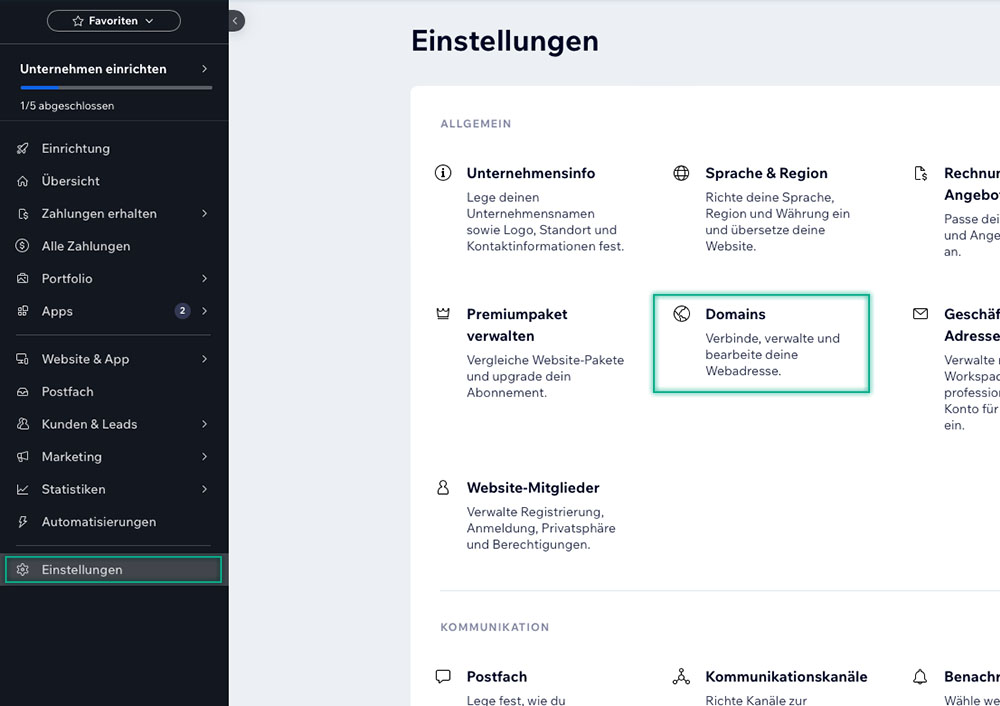
- Steigen Sie in Ihre Wix Website ein, wählen Sie Einstellungen und anschließend Domains
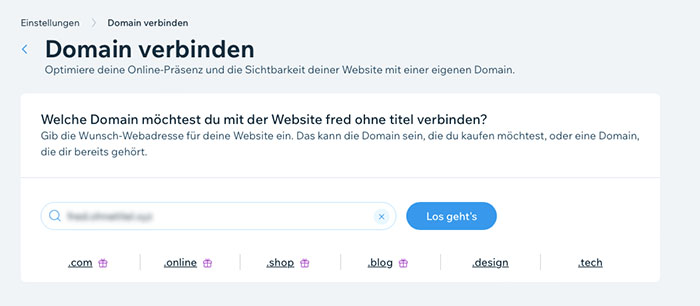
- Geben Sie Ihre Domain ein und klicken Sie auf Los geht’s
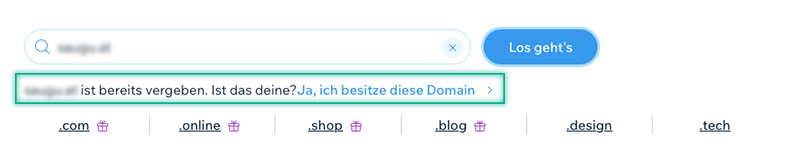
- Nun klicken Sie auf den Link Ja, ich besitze diese Domain
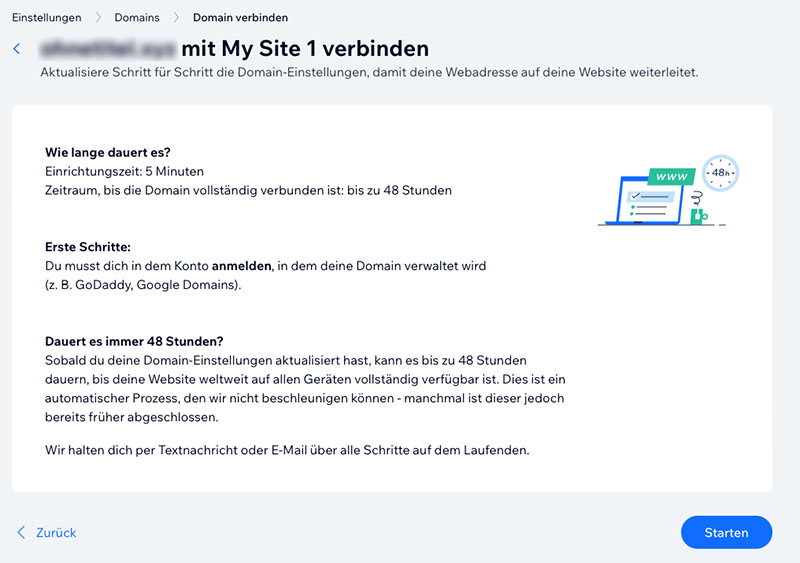
- Es folgt ein Hinweis, dass die Domain-Verbindung bis zu 48 Stunden dauern kann. Bestätigen Sie diesen Hinweis mit einem Klick auf Starten
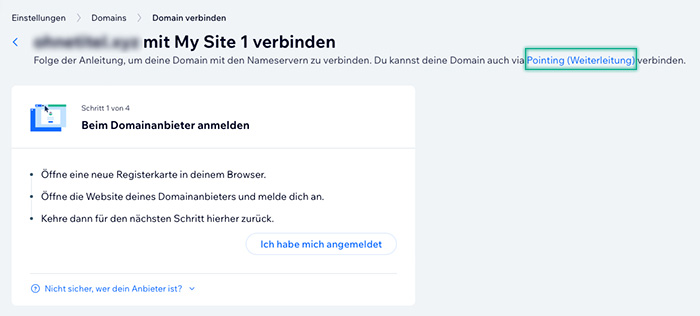
- Im nächsten Schritt klicken Sie bitte auf Pointing (Weiterleitung)
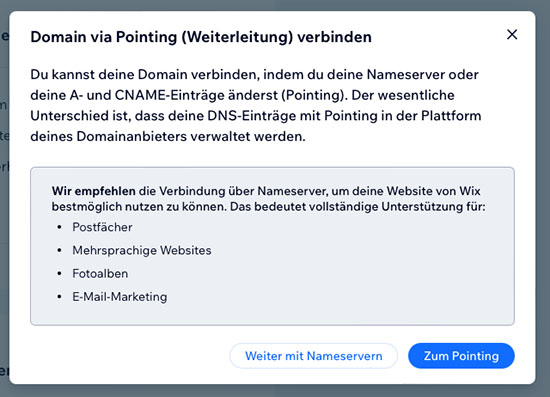
- Bestätigen Sie die Verbindung via Pointing (Weiterleitung) mit einem Klick auf Zum Pointing
- Öffnen Sie nun das helloly Kundencenter unter my.helloly.com in einem neuen Tab bzw. Browserfenster
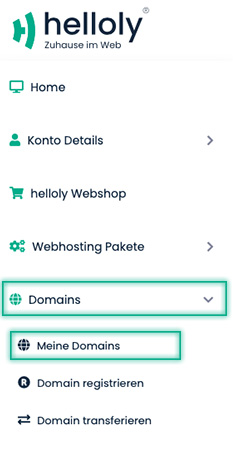
- Wählen Sie nun in der linken Navigation zuerst den Punkt Domains und anschließend Meine Domains aus
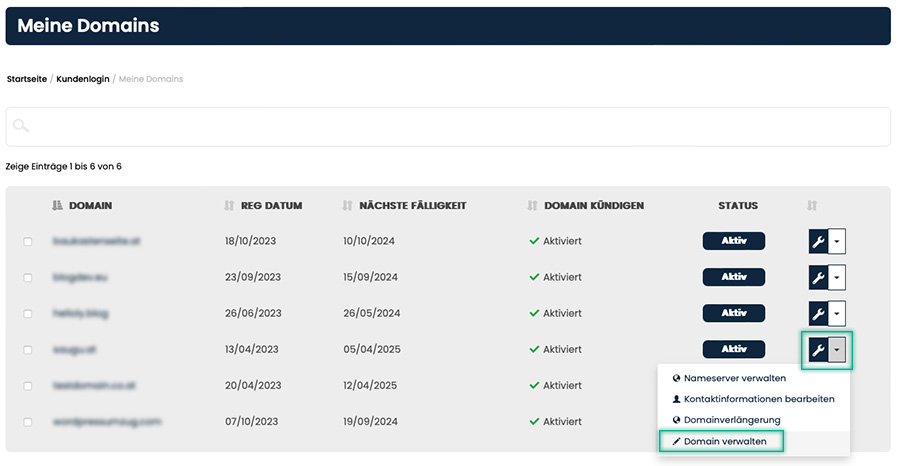
- Klicken Sie nun bei der gewünschten Domain auf das Werkzeugsymbol und wählen Sie Domain verwalten
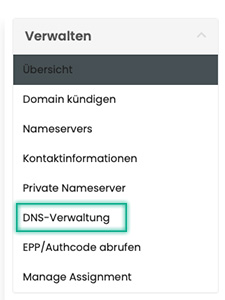
- Wählen Sie nun in der rechten Navigation den Punkt DNS-Verwaltung aus
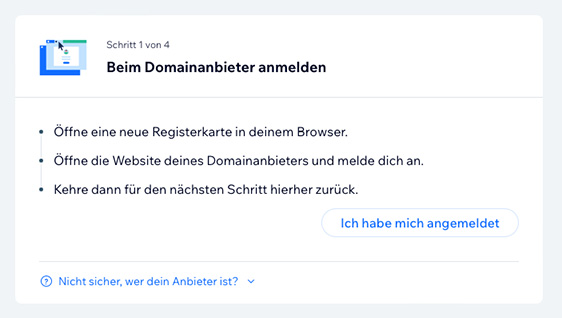
- Wechseln Sie nun wieder in den Wix-Tab bzw. in das Wix-Fenster und klicken Sie auf Ich habe mich angemeldet
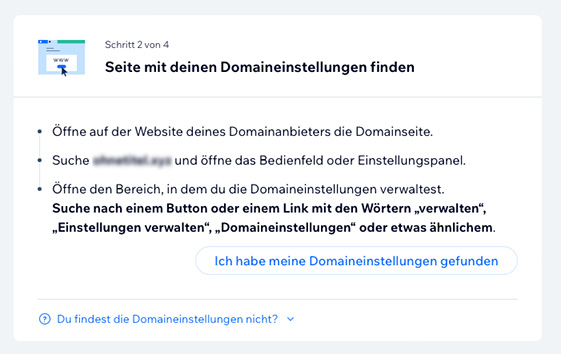
- Klicken Sie auf Ich habe meine Domaineinstellungen gefunden
- Klicken Sie auf Ich habe die Einträge gefunden
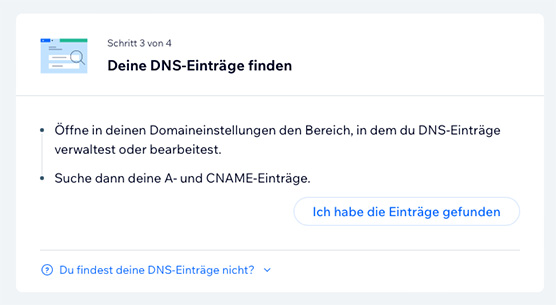
- Nun werden Ihnen die Werte angezeigt, die Sie in der DNS Verwaltung eingeben müssen.
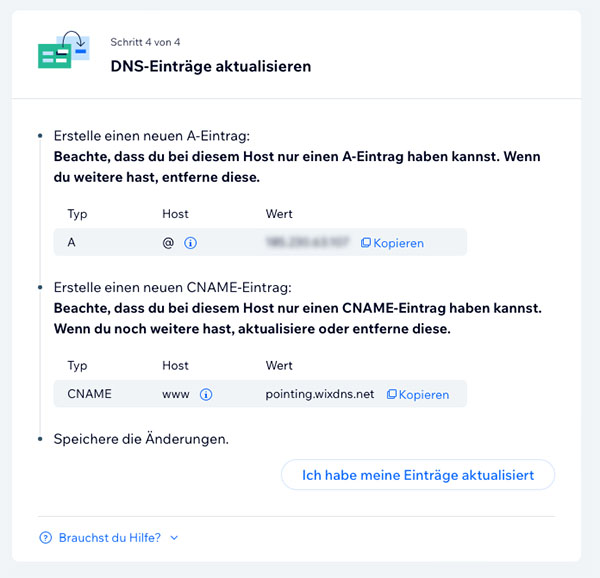
- Wechseln Sie zurück in den helloly Tab bzw. in das helloly Browserfenster
- Ändern Sie die Einträge entsprechend der Wix-Anleitung:
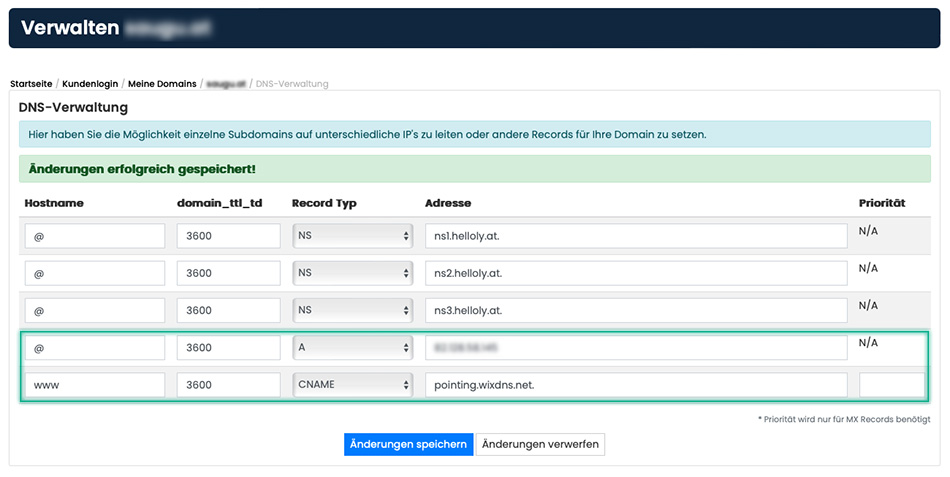
- geben Sie beim Hostname @ den entsprechenden Wert bei Adresse ein
- ändern Sie für den Hostname www den Record Typ auf CNAME um
- geben Sie beim Hostname www den Wert pointing.wixdns.net. bei Adresse ein. Achtung: Der Punkt am Schluß der Domain ist ungewöhnlich aber wichtig, sonst funktioniert die Weiterleitung nicht.
- Bestätigen Sie mit Änderungen speichern
- Wechseln Sie zurück in den Wix–Tab bzw. das Wix-Fenster und klicken Sie auf Ich habe meine Einträge aktualisiert
- Herzlichen Glückwunsch – Sie haben Ihre helloly Domain erfolgreich mit Ihrer Wix-Website verbunden!
Hinweis: In spätestens 48 Stunden ist Ihre Website nun unter Ihrer helloly Domain erreichbar.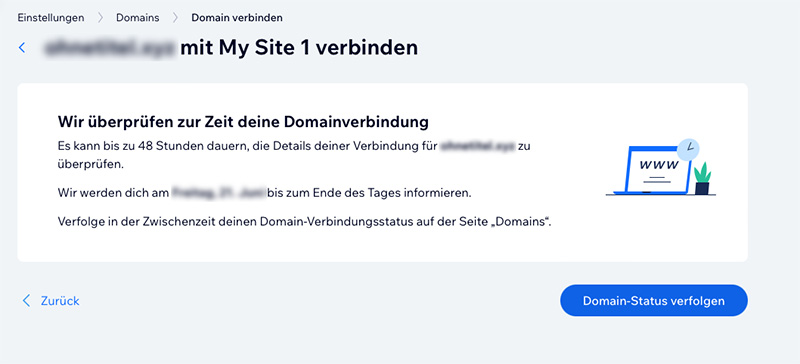
Domain mit Webhosting / Mail-only
Wichtiger Hinweis
Um Ihre Domain von helloly mit Ihrer Wix-Website zu verbinden bietet Wix zwei Optionen:
Pointing (Weiterleitung) bzw. Nameserver ändern. Wir empfehlen ausschließlich die Option Pointing (Weiterleitung)!
Warum Pointing (Weiterleitung)?
- Sollten Sie Email mit Ihrem helloly Hosting Paket nutzen, entfallen ausschließlich beim Pointing (Weiterleitung) die Umstellung der MX/SPF Einträge und Ihr DKIM Eintrag ist weiterhin im DNS. Emails mit gültiger DKIM Signatur werden insbesondere von grossen Mailportalen wie Gmail positiv bewertet, dies verbessert die Reputation Ihrer Emails.
- Für alle Domain-relevanten Themen steht Ihnen ausschließlich beim Pointing (Weiterleitung) der österreichische Support von helloly zur Verfügung
Webhosting bzw. Mail-only Paket: So verbinden Sie Ihre helloly Domain mit Ihrer Wix Website
- Steigen Sie in Ihre Wix Website ein, wählen Sie Einstellungen und anschließend Domains
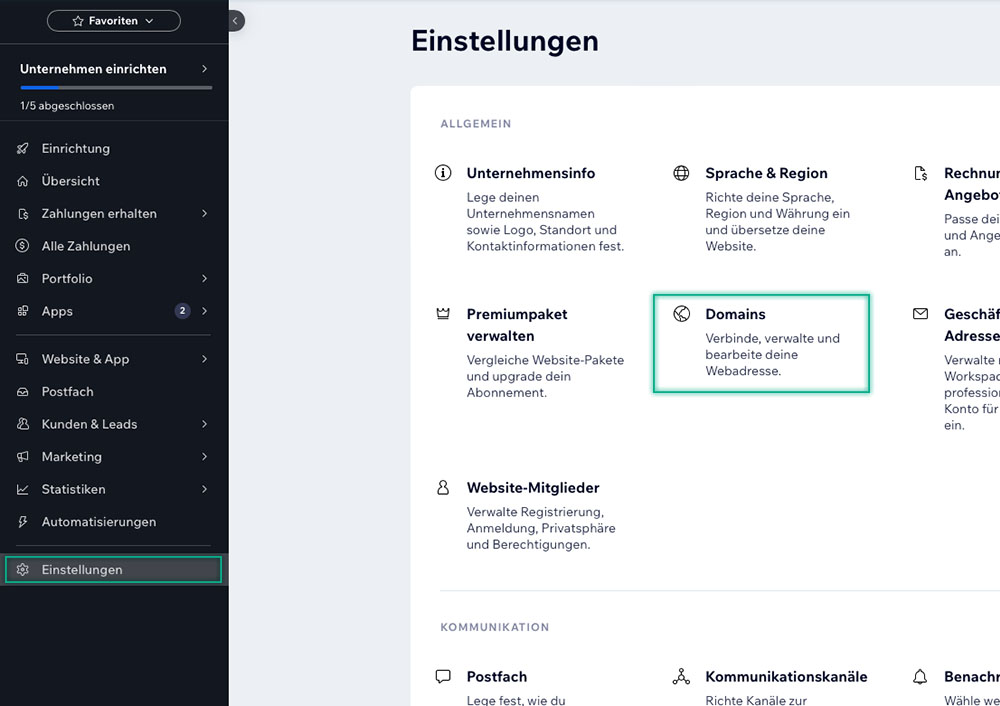
- Geben Sie Ihre Domain ein und klicken Sie auf Los geht’s
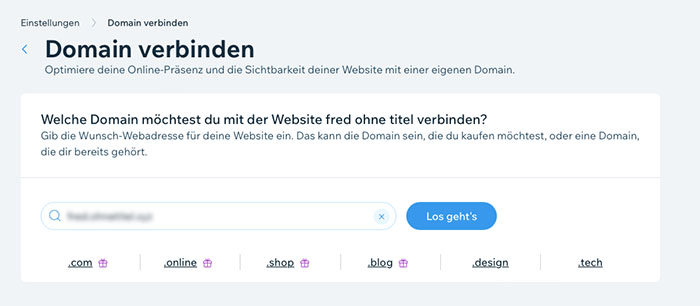
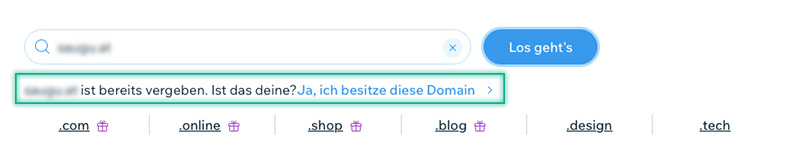
- Nun klicken Sie auf den Link Ja, ich besitze diese Domain
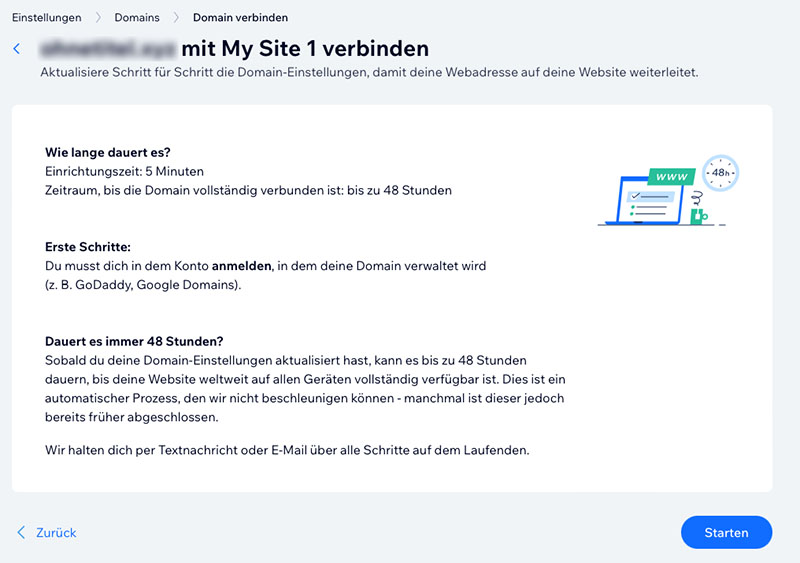
- Es folgt ein Hinweis, dass die Domain-Verbindung bis zu 48 Stunden dauern kann. Bestätigen Sie diesen Hinweis mit einem Klick auf Starten
- Im nächsten Schritt klicken Sie bitte auf Pointing (Weiterleitung)
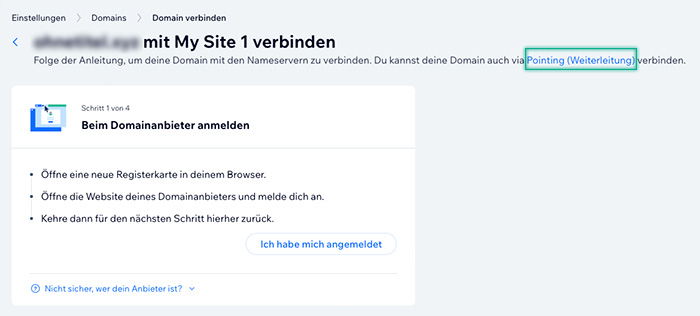
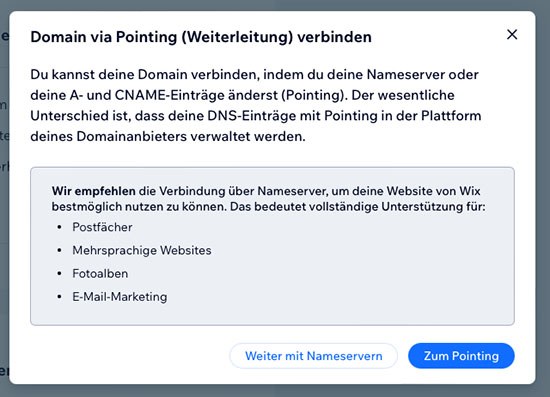
- Bestätigen Sie die Verbindung via Pointing (Weiterleitung) mit einem Klick auf Zum Pointing
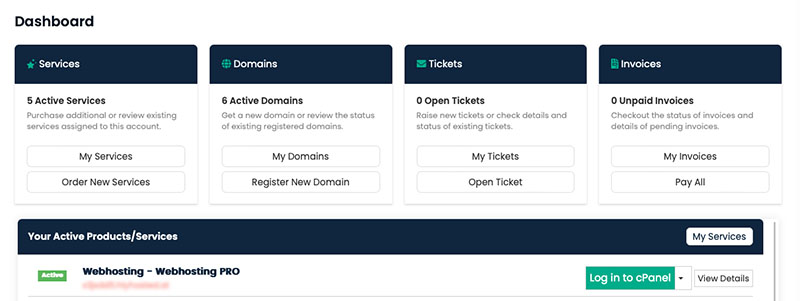
- Steigen Sie in das helloly Kundencenter via my.helloly.com in einem neuen Tab bzw. Browserfenster ein
- Wählen Sie im Bereich Dashboard unter Ihre aktiven Produkte das gewünschte Paket aus und klicken Sie Im cPanel einloggen
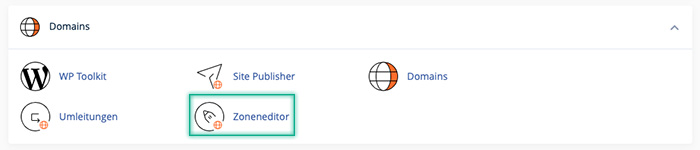
- Nun öffnen Sie im cPanel unter Domains den Zoneneditor
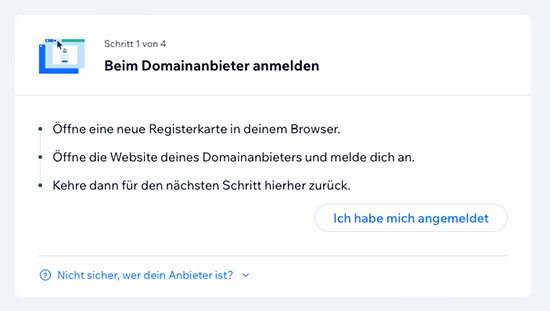
- Wechseln Sie nun wieder in den Wix-Tab bzw. in das Wix-Fenster und klicken Sie auf Ich habe mich angemeldet
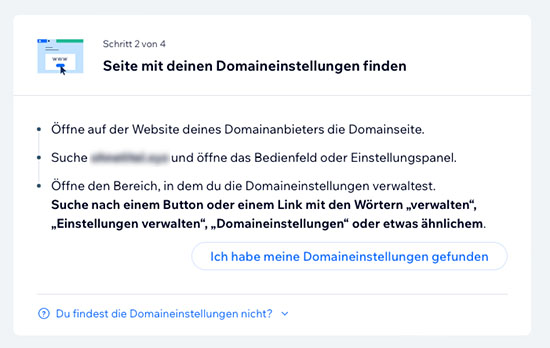
- Klicken Sie auf Ich habe meine Domaineinstellungen gefunden
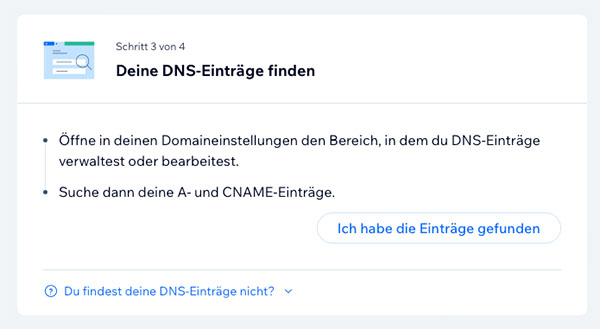
- Klicken Sie auf Ich habe die Einträge gefunden
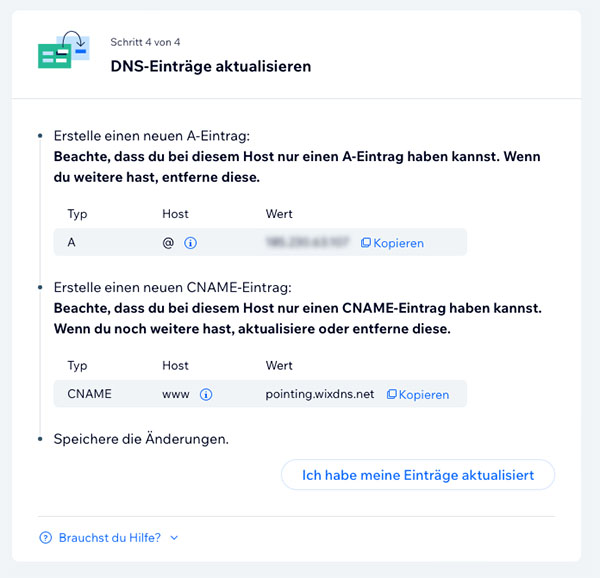
- Nun werden Ihnen die Werte angezeigt, die Sie im Zoneneditor eingeben müssen.
- Wechseln Sie zurück in den helloly Tab
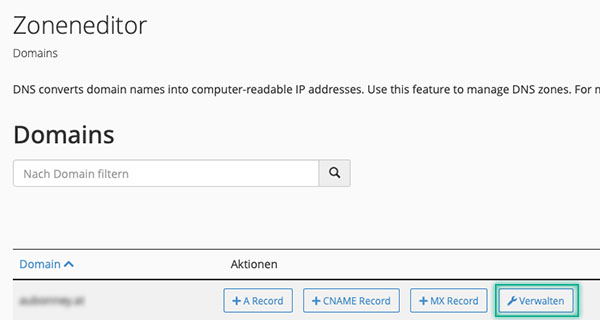
- Klicken Sie im Zoneneditor neben der gewünschten Domain auf Verwalten
- Der erste Eintrag in der Liste ist vom Typ A und hat den Namen ihredomain.tld. – klicken Sie bei diesem Eintrag auf Bearbeiten, fügen Sie den vorher kopierten Inhalt in das Feld Eintrag ein und klicken Sie auf Eintrag speichern

- Nun suchen Sie die Zeile vom Typ CNAME mit dem Namen www.ihredomain.tld. – klicken Sie bei diesem Eintrag auf Bearbeiten, fügen Sie in das Feld Eintrag pointing.wixdns.net ein und klicken Sie auf Eintrag speichern

- Wechseln Sie zurück in den Wix–Tab bzw. das Wix-Fenster und klicken Sie auf Ich habe meine Einträge aktualisiert
- Herzlichen Glückwunsch – Sie haben Ihre helloly Domain erfolgreich mit Ihrer Wix-Website verbunden! Hinweis: In spätestens 48 Stunden ist Ihre Website nun unter Ihrer helloly Domain erreichbar.
Sie möchten Ihre Website wieder bei helloly hosten bzw. Ihre Website mit dem preiswerten helloly Homepage Baukasten erstellen?
Kennen Sie schon den helloly Homepage Baukasten? Dieser ist in jedem Hosting Paket inkludiert. Wenn Sie von Wix wieder auf helloly umsteigen möchten, gehen Sie folgendermaßen vor:
- Steigen Sie in das helloly Kundencenter via my.helloly.com ein
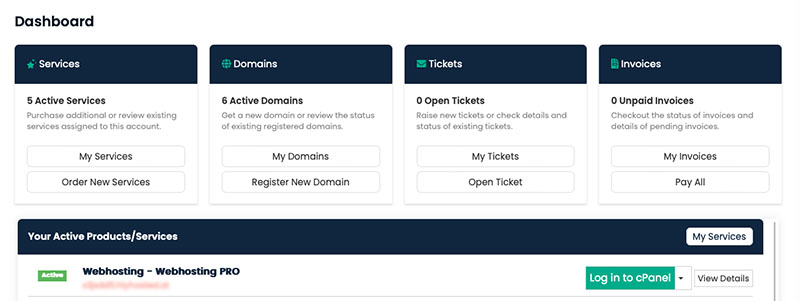
- Wählen Sie im Bereich Dashboard unter Ihre aktiven Produkte das gewünschte Paket aus und klicken Sie Im cPanel einloggen
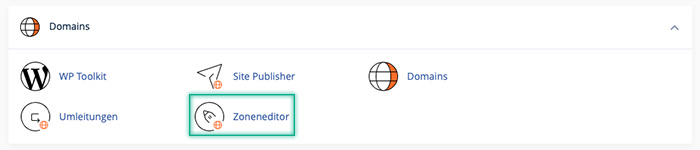
- Nun öffnen Sie im cPanel unter Domains den Zoneneditor
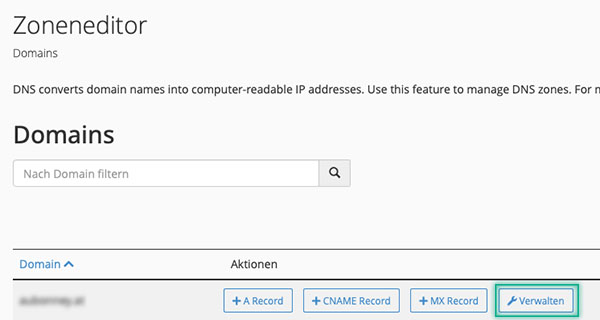
- Klicken Sie im Zoneneditor nun bei der gewünschten Domain auf Verwalten
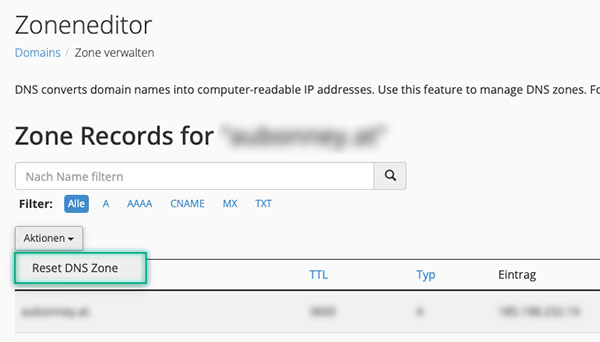
- Klicken Sie nun auf Aktionen und wählen Sie Reset DNS Zone aus
-
Nun erscheint eine Warnung: “Wenn Sie Ihre Zonendatei zurücksetzen, werden alle Änderungen, die Sie an Ihren Zonendatensätzen vorgenommen haben, gelöscht. Das System versucht, die TXT-Einträge zu erhalten. Wir empfehlen Ihnen jedoch, sich alle Einträge zu notieren, die Sie speichern möchten. Möchten Sie wirklich alle Einträge löschen und auf den Standard zurücksetzen?”
Sollten Sie abseits der Änderungen für Wix noch weitere Änderungen vorgenommen haben, notieren Sie sich diese, bevor Sie auf Weiter klicken.
- Sie haben nun erfolgreich Ihre Einstellungen zurückgesetzt und können nun Ihre Website wieder über helloly hosten bzw. den Homepage Baukasten verwenden.
