
 Sprache wählen

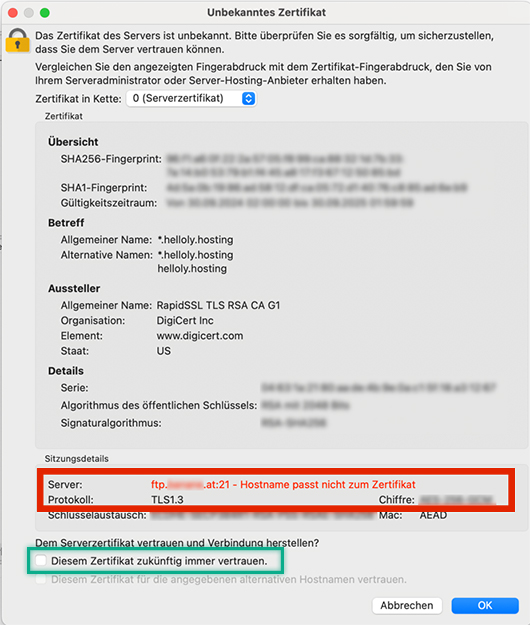
Wenn Sie sich über einen FTP Client mit ihrem Server verbinden und dabei eine Warnung über ein falsches Serverzertifikat erhalten, haben Sie zwei Möglichkeiten:
- Verbinden sich über Ihren Hosting-Server cloudXX.helloly.hosting statt über Ihre Domain (ftp.ihreDomain.tld).
- Um herauszufinden, welcher Hosting-Server Ihnen zugeteilt ist, melden Sie sich via my.helloly.com im Kundencenter an und klicken Sie neben dem gewünschten Hosting Paket auf Webhosting Login.
- Nun klicken Sie in der rechten Spalte Allgemeine Informationen auf den Link Serverinformationen.
- Hier sehen Sie den Servernamen. Lautet dieser zB cloud10, dann lautet Ihr Hosting-Server cloud10.helloly.hosting.
- Alternativ können Sie auch die Option “Diesem Zertifikat zukünftig immer vertrauen” anhaken.
