Knowledgebase

How can I set up URL forwarding?

FAQ Bild

The following instructions are intended for domain-only customers. To learn how to set up a redirect with a hosting package, please refer to this FAQ: How do I configure forwarding in my hosting package?

If you only own a domain without hosting at helloly, you can redirect this domain at no additional cost.

How to set up a URL redirect

  • Log in to the helloly customer center via my.helloly.com
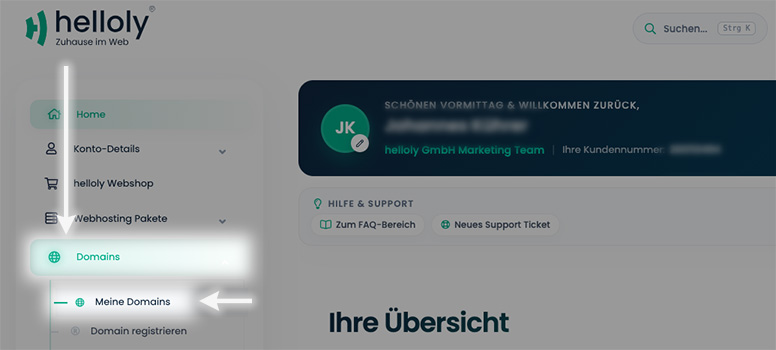
  • In the left-hand menu, select Domains and click on My Domains


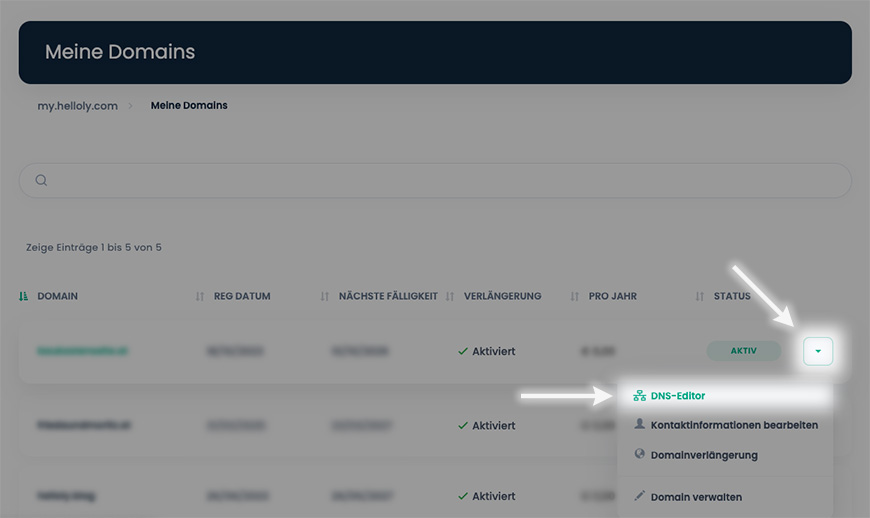
  • Then click on the arrow next to the desired domain and select DNS Editor


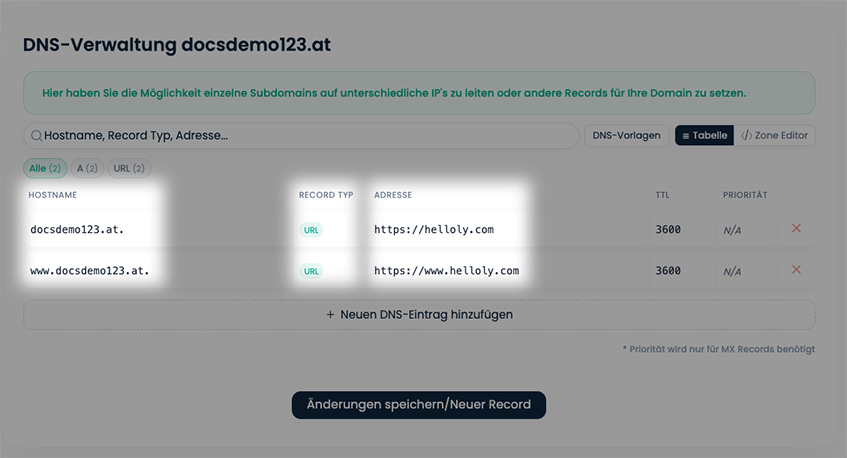
  • Now you can create your DNS records.


    For a URL redirect, you usually create two records – one with your domain without www and one with your domain and www. Select URL as the RECORD TYPE

Note: Please note that new entries will become active within approximately 60 minutes.

Was this answer helpful?

Related Articles

When are new DNS entries active?

When new DNS entries are added or existing entries are changed, it sometimes takes a while for the entries to become active worldwide. Normally, a...

When is a .at domain available in the DNS?

After successfully registering a .at domain or transferring a .at domain, it may take some time before your domain is available. The .at nameserver...

Can an umlaut domain or a domain with numbers be registered?

Yes, this is possible in many cases. However, there are restrictions depending on the domain extension. Use our domain check to check whether your...

Is it possible to change a domain name?

Unfortunately not. Domains are created and billed by the respective registry directly after the initial registration. If you wish to change your...

Does a domain have to be renewed manually every year?

No! We make sure that your domain(s) are automatically renewed - no manual steps are necessary. There is no risk of losing your domains at...