
 Select language

To define a DNS redirect, please proceed as follows:
- Log in to the Helloly client area via my.helloly.com.
- In the left menu under Domains, click on My Domains.
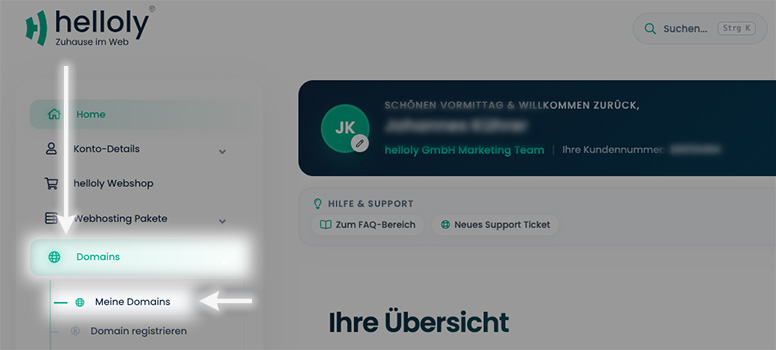
- Click on the Arrow next to the desired domain and then on DNS-Editor
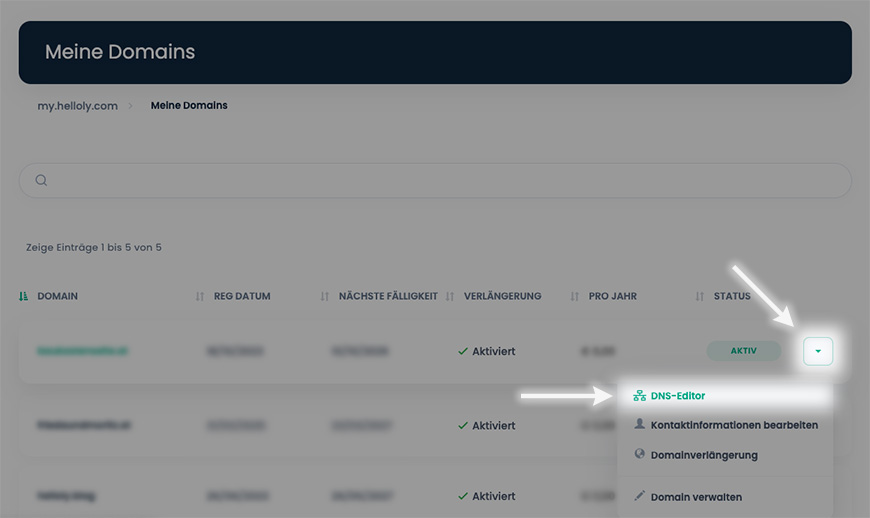
Depending on whether you have a web hosting package or a domain-only package, one of the following DNS editors will appear:
Domain-only package
If you only host your domains with us, the following DNS editor will appear: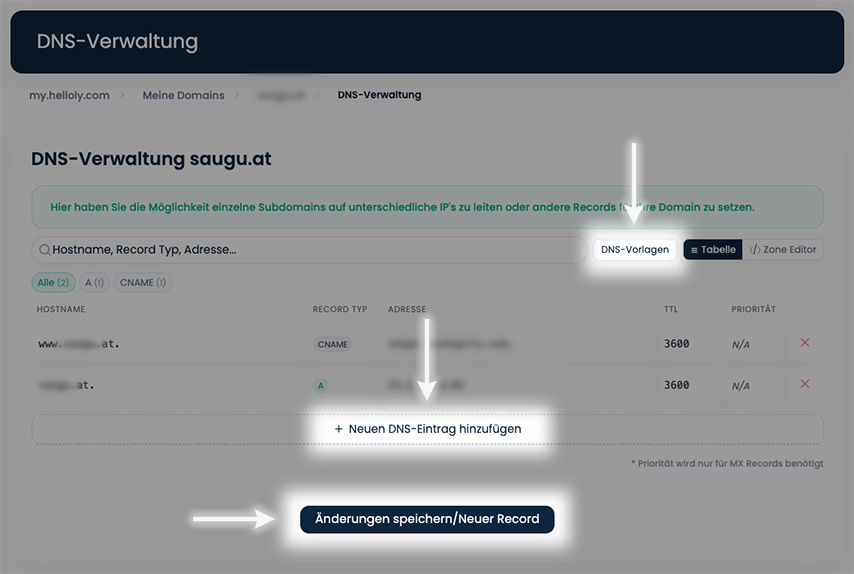
Here you can
- + Add new DNS records
- Save changes
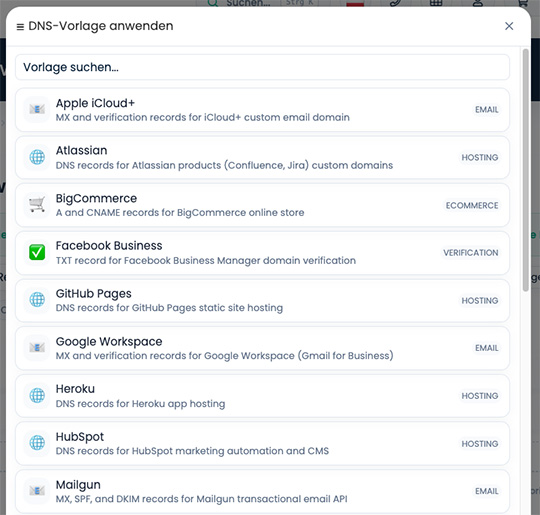
- NEW! use one of our DNS Templates
Web hosting package
If you have a web hosting package with us, the following DNS editor will appear: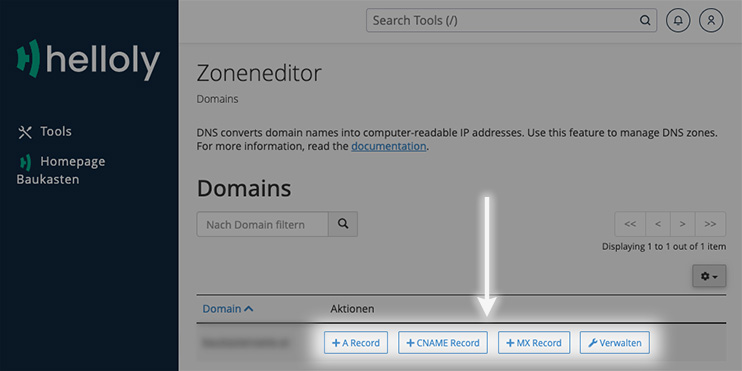
-
Here you can
- directly add an + A Record, + CNAME Record, or + MX Record
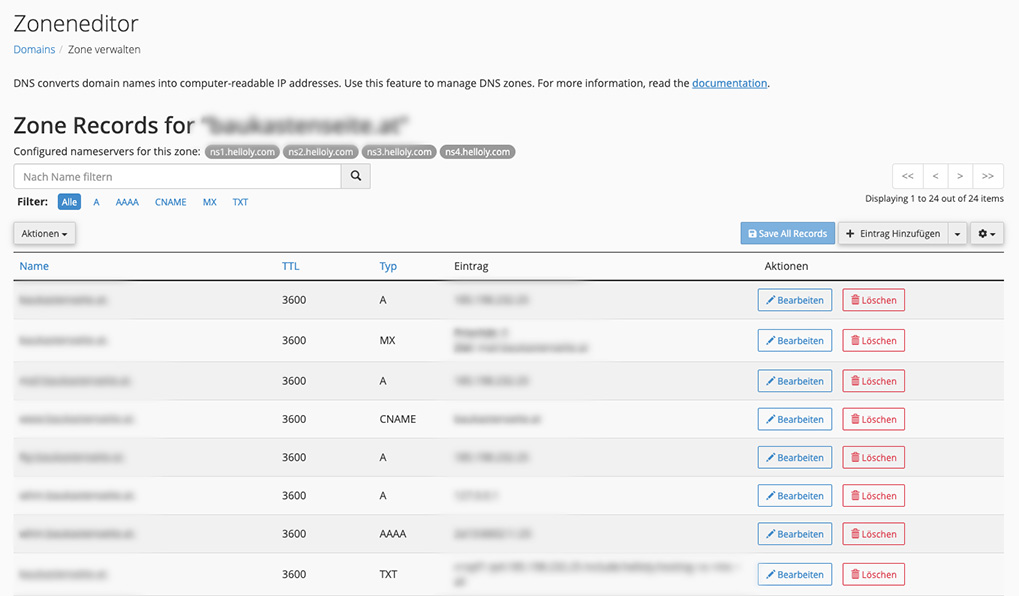
- Manage all DNS entries
IMPORTANT:
It is not possible to set a CNAME record for a main domain. CNAME entries are only possible for subdomains (e.g., “www”).
If you change the A record of your main domain to point to a WIX or Jimdo website, but still want to continue using the Helloly mail server, you must point the MX record to your mail server (according to your access data).
