
 Select language

Note: For maximum security, we recommend that all customers activate 2-factor authentication (also: 2-factor authentication).
How to activate 2FA in the helloly Client Area (my.helloly.com)
- Load the Google Authenticator App onto your smartphone. The app is available for Android and iOS.
- Log in to the helloly Client Area via my.helloly.com
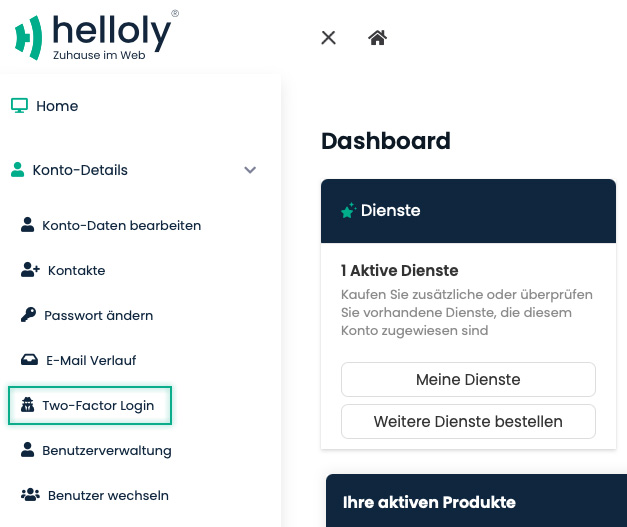
- Under Account Details click on Two-Factor Login
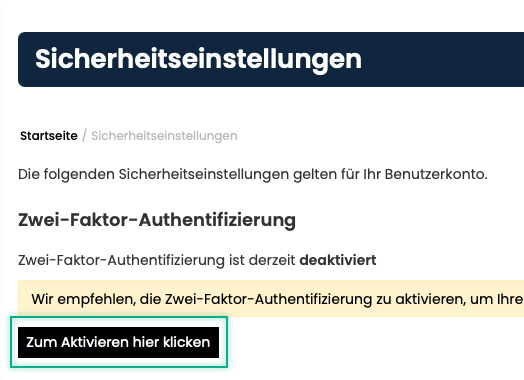
- Click on Click here to enable
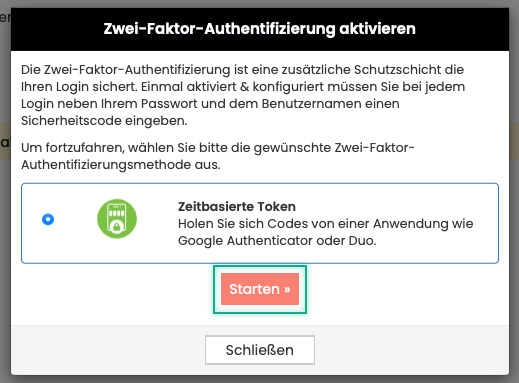
- Click on Start
- Open Google Authenticator on your smartphone
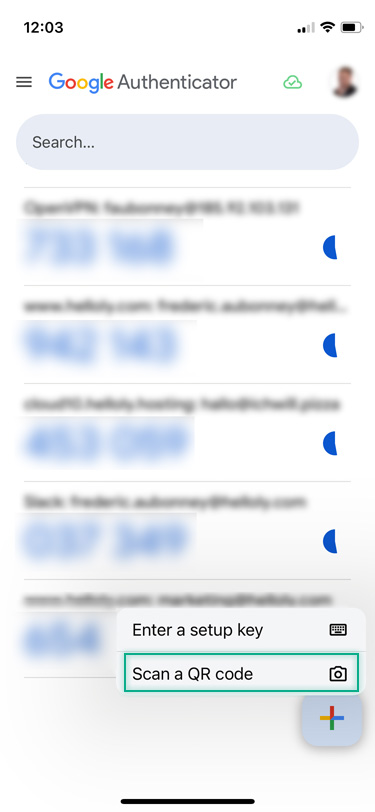
- Click on the big plus in the bottom right corner
- Tap on Scan a QR code
- Scan the QR code
- Google Authenticator now creates a six-digit number that is renewed at regular intervals. Now enter the current six-digit number in the Enter authentication code field and click Submit
- You have now activated 2-factor authentication. IMPORTANT: Make a note of or save the backup code and keep it in a safe place.
-
After you have noted/saved your backup code, click on Close
-
Congratulations, you have successfully set up 2-factor authentication!
