
 Select language

ATTENTION: If you are using the helloly mail server, no changes or manual settings are required.
Important: You only need to change the DKIM entry if you are using an alternative mail server.
How to correctly create DKIM entries in the DNS depends on whether you have a Web Hosting package or a Domain-Only package. Instructions for both packages follow below.
Web Hosting Package: Creating DKIM entries correctly
- Log in to the customer center via my.helloly.com
- In the Dashboard under Your active products, click on Log in to cPanel next to the desired web hosting package
- In the Domains section, click on Zone Editor
- Click on Manage next to the desired domain
- Look for the entry whose Name begins with default._domainkey and click on Edit

- Delete the existing DKIM string from the first and second text fields and enter your DKIM string in the first text field. If it gets cut off, you must enter the remainder in the second text field.
Tip: To determine the point where your DKIM string was cut off, copy the entire DKIM string into a program such as Notepad. Now copy the last four characters of the DKIM string from the first text field and search for them in your editor (e.g., Notepad). This way, you can quickly find the point where your string was truncated. - Click on Save Record
Domain-Only Package: Creating DKIM entries correctly
- Log in to the customer center via my.helloly.com
- In the Dashboard under Domains, click on My Domains
- Click on the wrench icon next to the desired domain
- Open the menu on the right
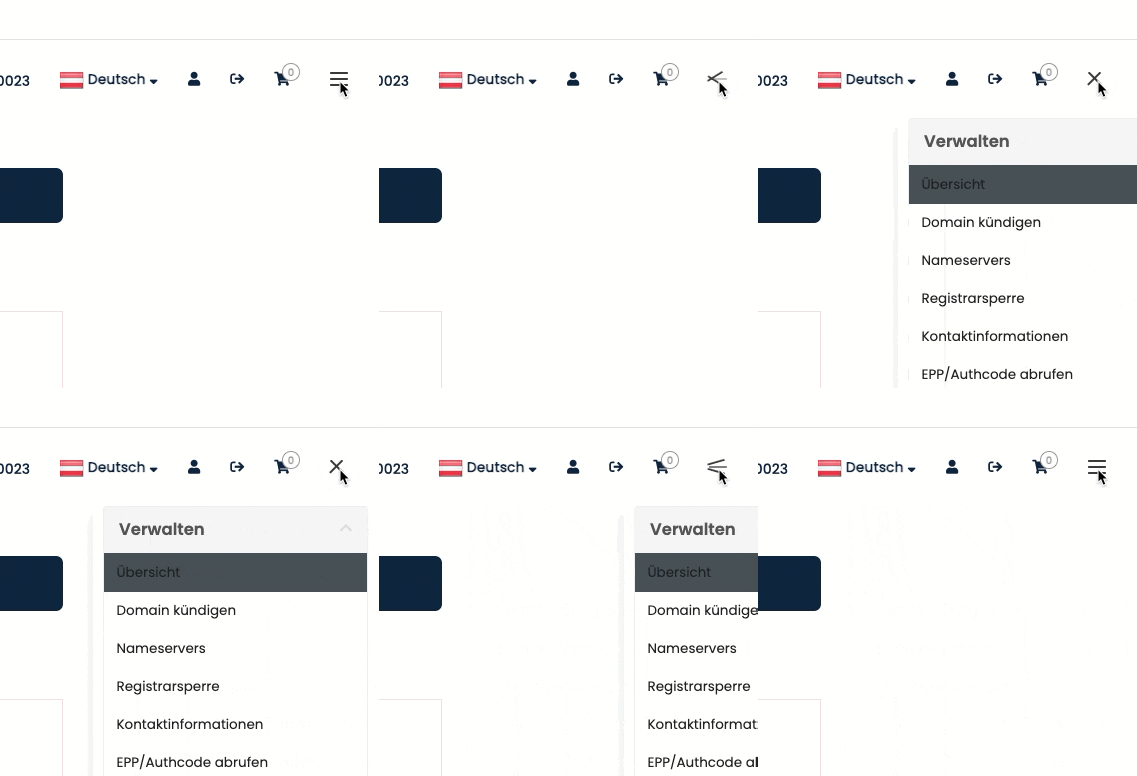
- Under Actions, click on DNS Management
- Select TXT as the Record Type and paste the DKIM string into the Address text field
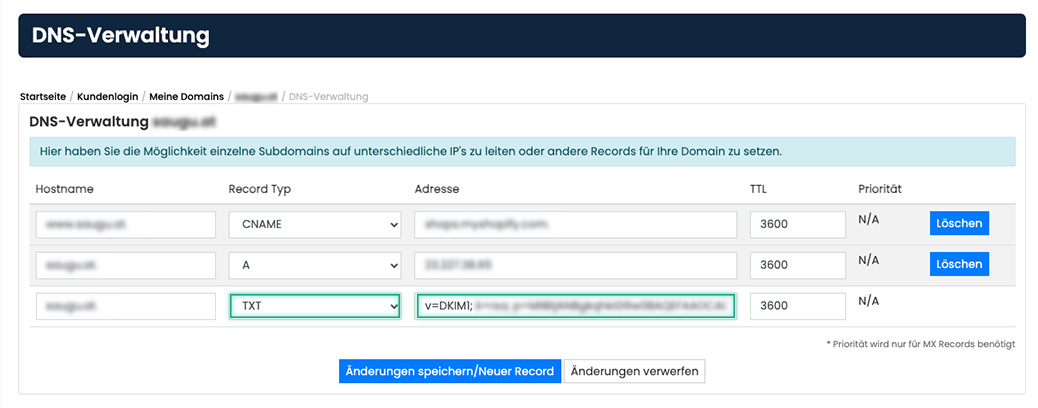
- Confirm by clicking on Save Changes/New Record
