Select language

The layout type Floating block is an excellent choice if you want pixel-perfect precision in your compositions.
- Adding a Layout:
- Drag the Layout element from the Main Toolbar to the desired location.
- Select the layout composition S1 to try it out (this is the first layout composition. To find out the name of the layout composition, move the mouse over a composition and hold the mouse still briefly)
- Change the Layout to Floating:
- Select the newly added Layout element in the section Page structure
- In the Right Toolbar, within the Layout tab, select Floating Block
- Placing an Element in a Floating Block:
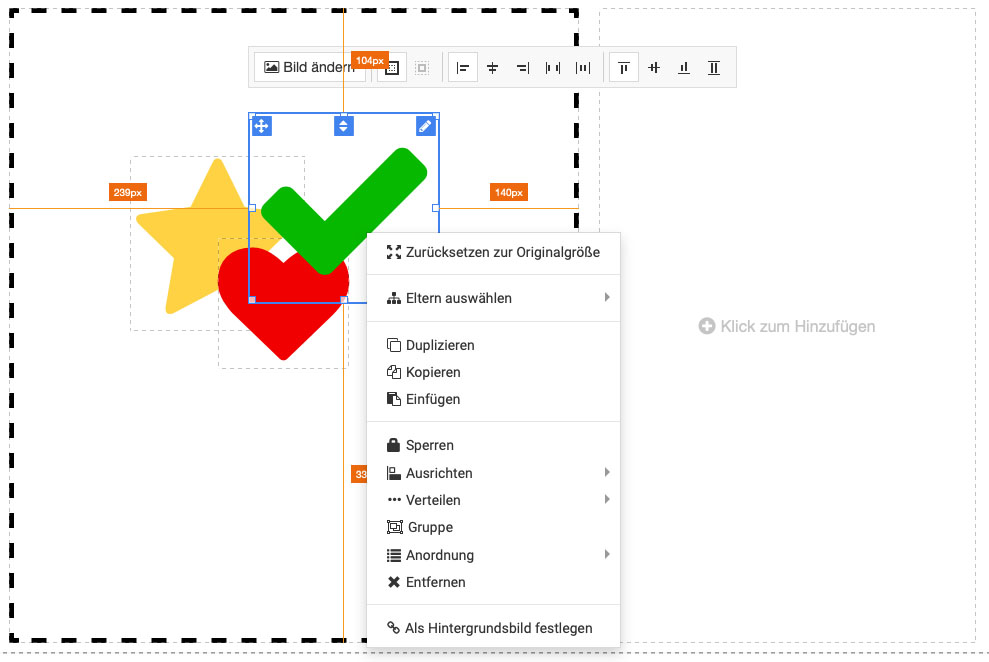
- You can drag an element, such as a pictures, text, shape etc. into the layout and place them completely freely.
- It is also possible to place several elements. By right-clicking on an element, you can define the alignment or arrangement.
- NOTE: Remember that when using the "Floating block" layout type, you must adjust the composition for each screen individually - "Wide", "Desktop", "Tablet" and "Phone".