
 Sprache wählen

Konfigurationsdaten per E-Mail zusenden
Sie können die Konfigurationsdaten für ein E-Mail Postfach per E-Mail zusenden.
-
Melden Sie sich über my.helloly.com im Kundencenter an.
-
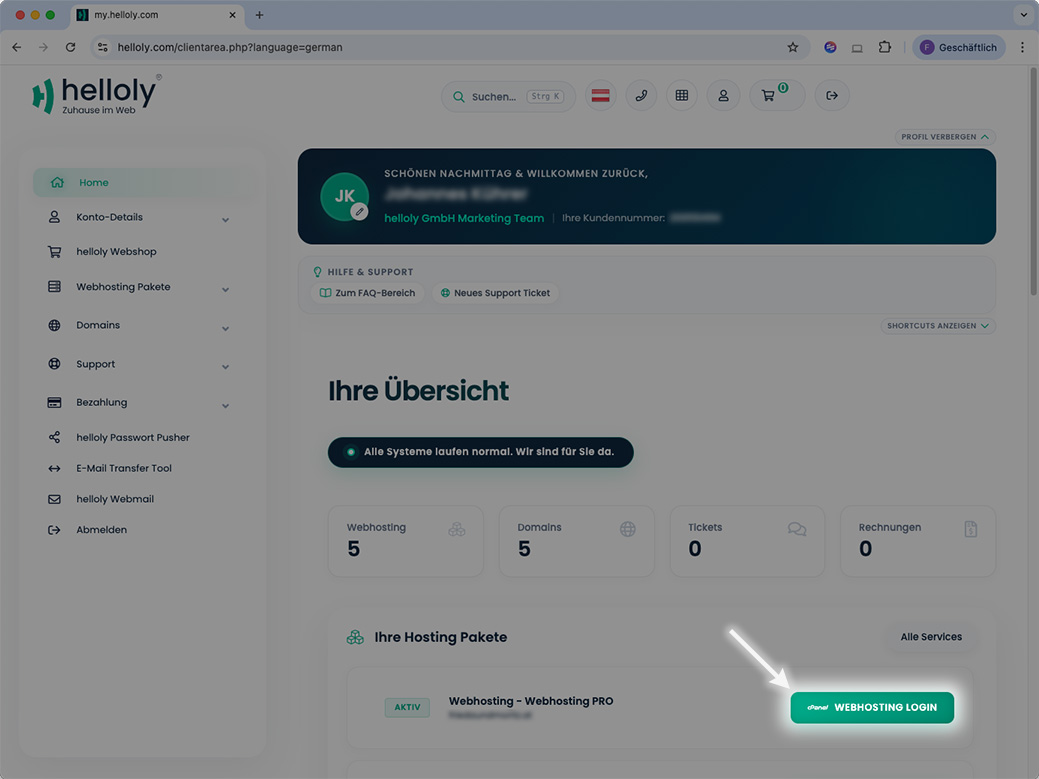
Klicken Sie neben dem gewünschtem Hosting Paket auf Webhosting Login
-
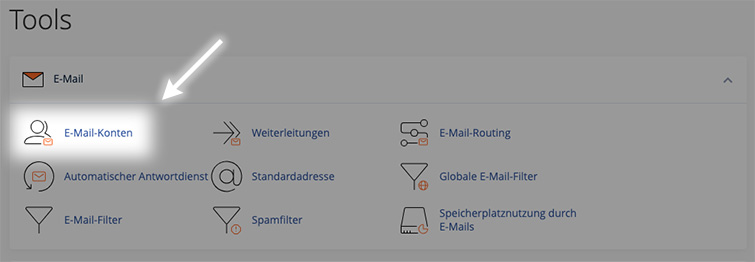
Unter E-Mail klicken Sie auf E-Mail-Konten
-
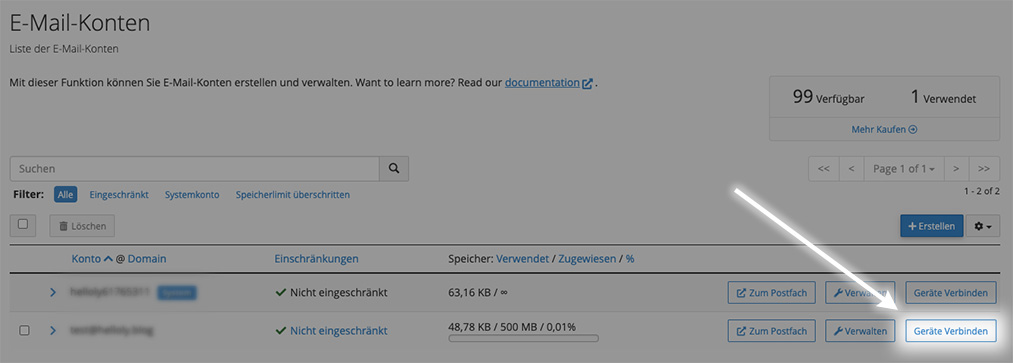
Neben der gewünschten E-Mail-Adresse klicken Sie auf Geräte verbinden
-
Ganz unten finden Sie die Funktion Anleitung per E-Mail senden
-
Geben Sie die E-Mail-Adresse ein, an welche die Anleitung gesendet werden soll, und klicken Sie auf Senden
Mail einrichten
Wenn Sie Mail zum ersten mal öffnen, werden Sie eingeladen, Ihr E-Mail Konto hinzuzufügen. In diesem Fall können Sie direkt zum Punkt E-Mail Konto einrichten übergehen.
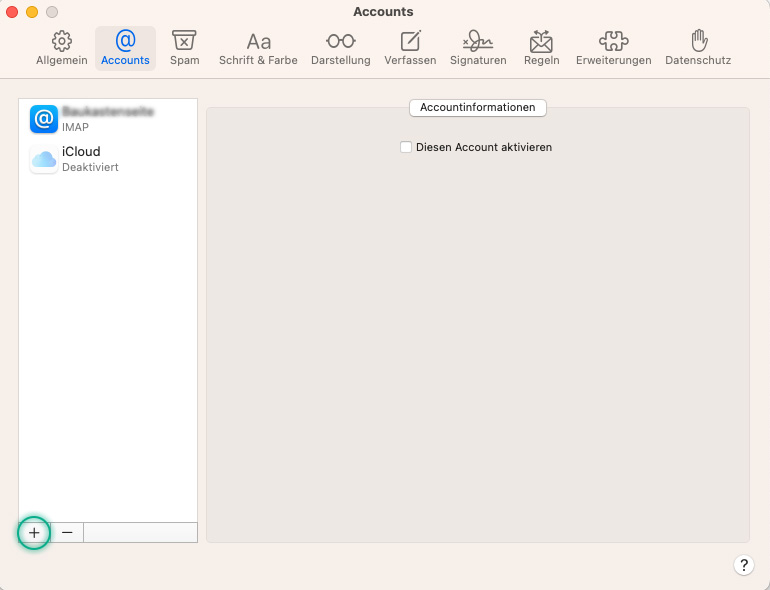
Sollten Sie Mail bereits verwenden, klicken Sie in der Menüleiste auf Mail und dann auf Einstellungen.
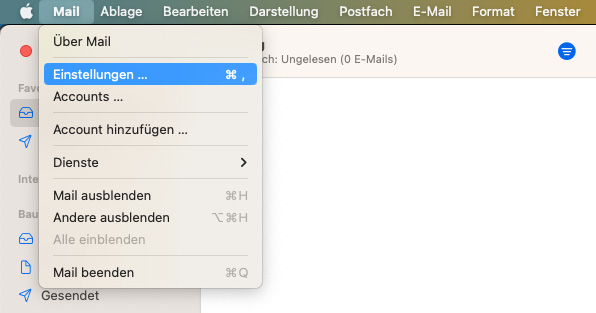
Im nächsten Fenster wählen Sie nun Accounts und klicken in der linken Spalte ganz unten auf das '+'-Symbol.
E-Mail Konto einrichten
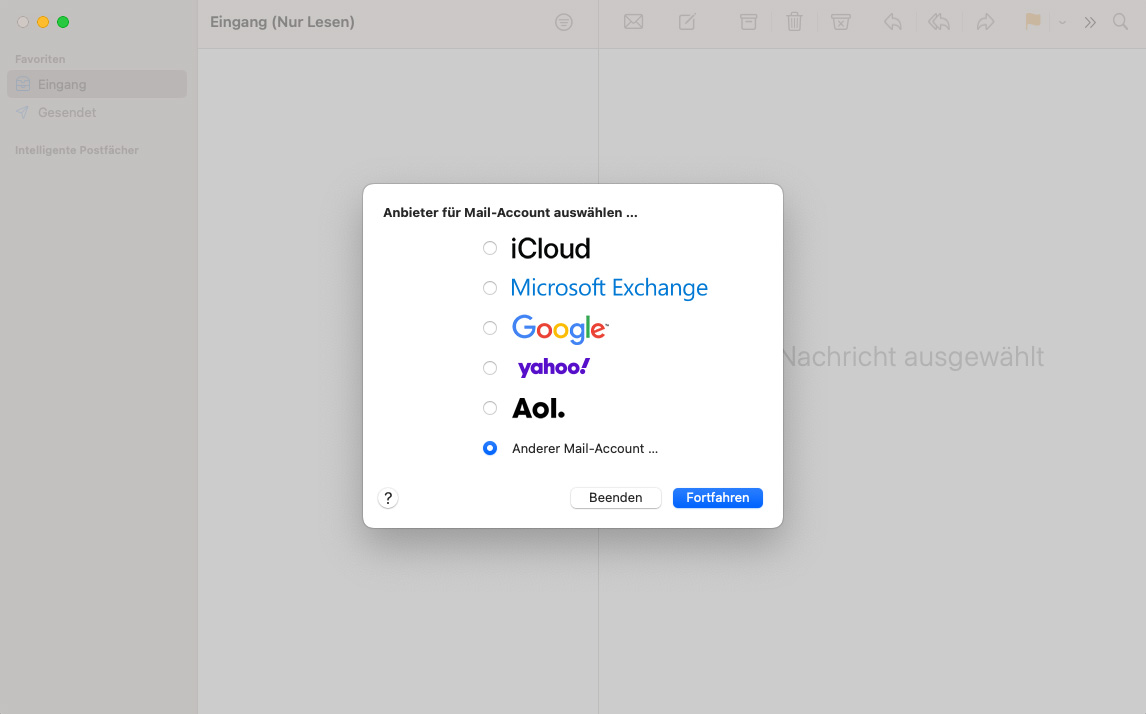
Wählen Sie zunächst die Option Anderer Mail-Account und bestätigen Sie mit Fortfahren
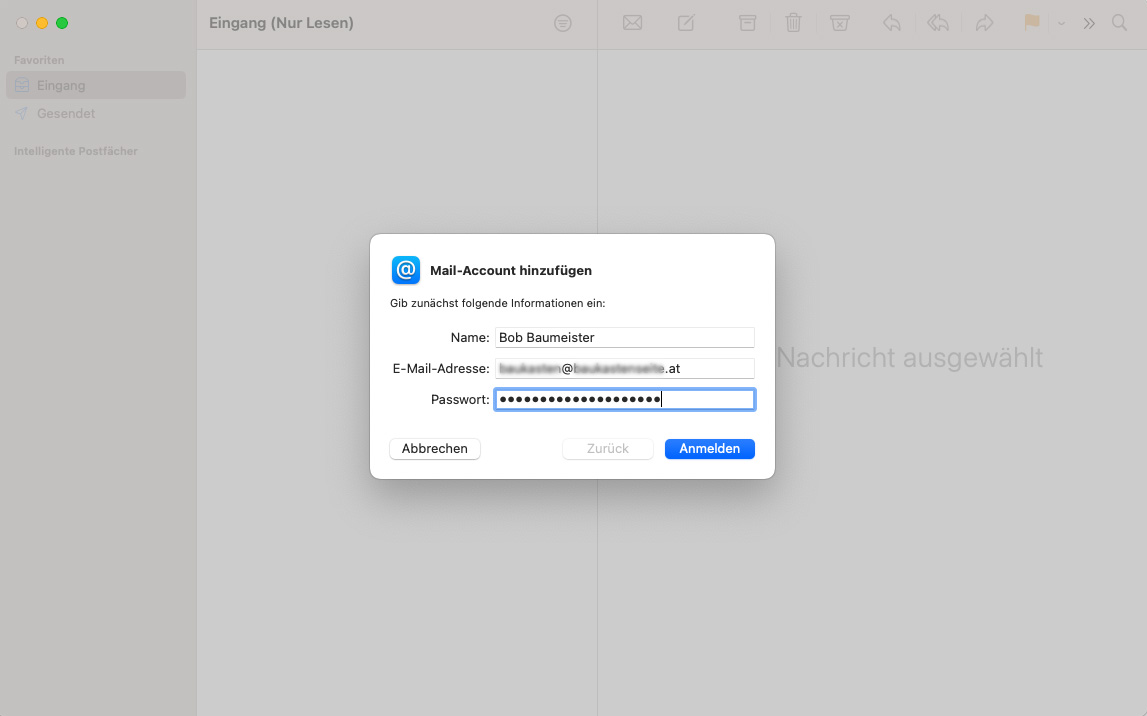
Im nächsten Schritt geben Sie Ihre Zugangsdaten ein:
-
Name (wird den Empfängern Ihrer E-Mails angezeigt)
-
E-Mail-Adresse
-
Passwort
Klicken Sie anschließend auf Anmelden
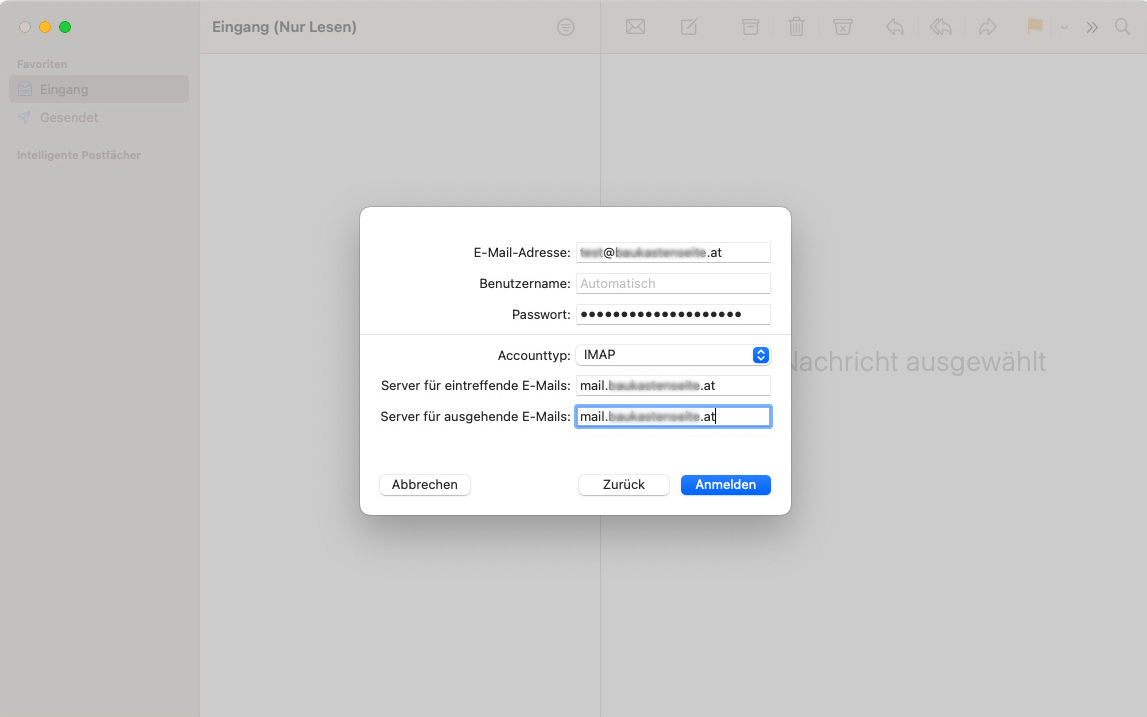
Geben Sie im nächsten Fenster den Server für eintreffende E-Mails sowie den Server für ausgehende E-Mails an. Diese setzt sich zusammen aus mail. und Ihrer Domain ohne www, also mail.ihreDomain.tld
Klicken Sie anschließend auf Anmelden
Im letzten Fenster können Sie noch angeben, welche Apps Sie mit dem Account verwenden wollen.
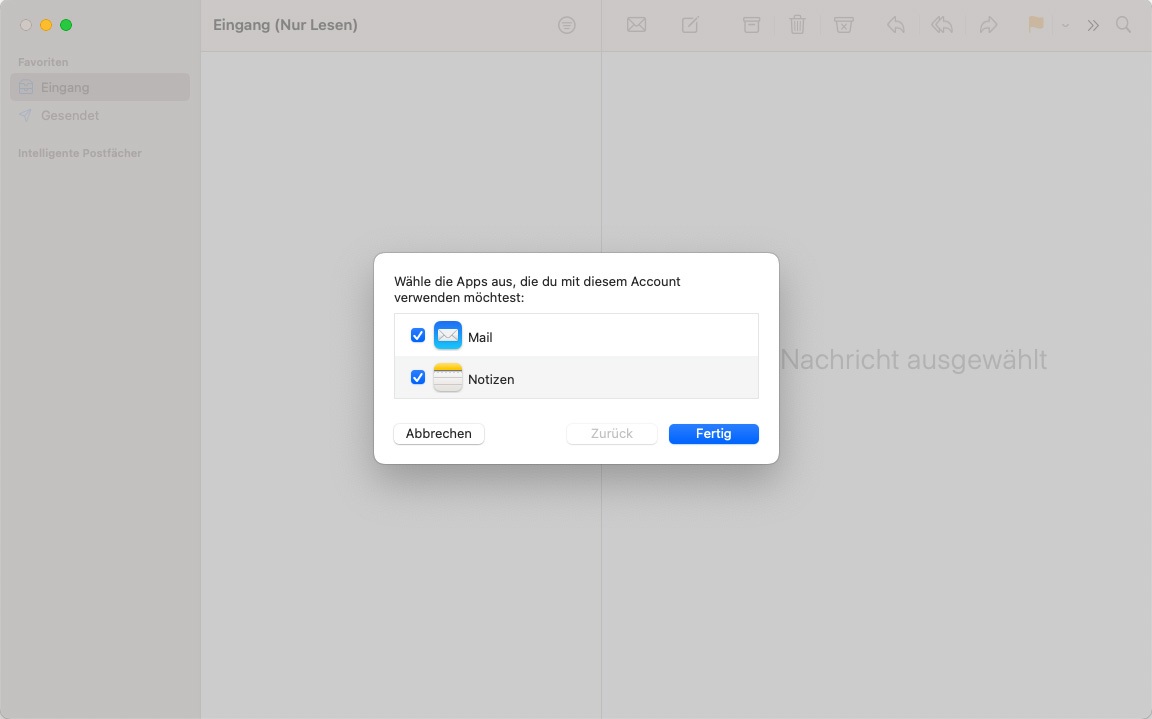
Sie haben Ihr E-Mail Konto erfolgreich unter Mail eingerichtet.
