
 Sprache wählen

Konfigurationsdaten per E-Mail zusenden
Sie können die Konfigurationsdaten für ein E-Mail Postfach per E-Mail zusenden.
-
Melden Sie sich über my.helloly.com im Kundencenter an.
-
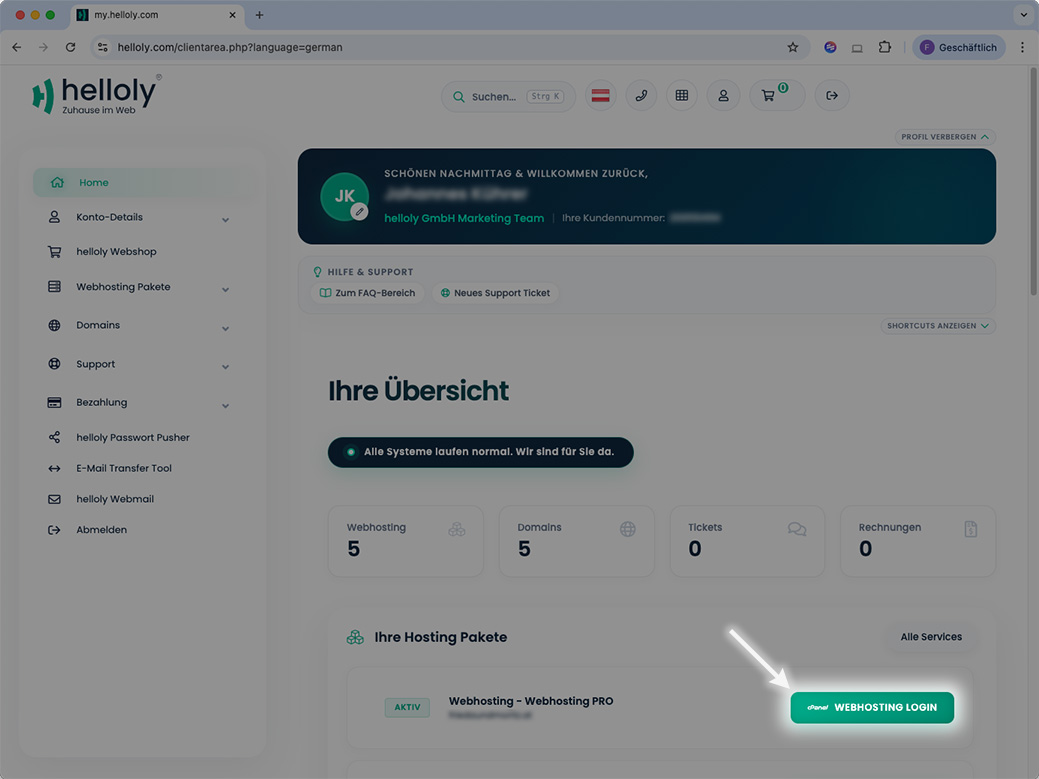
Klicken Sie neben dem gewünschtem Hosting Paket auf Webhosting Login
-
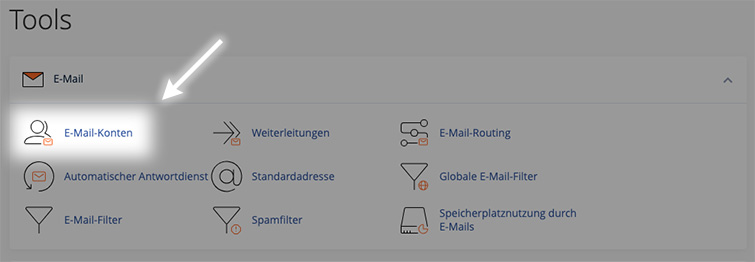
Unter E-Mail klicken Sie auf E-Mail-Konten
-
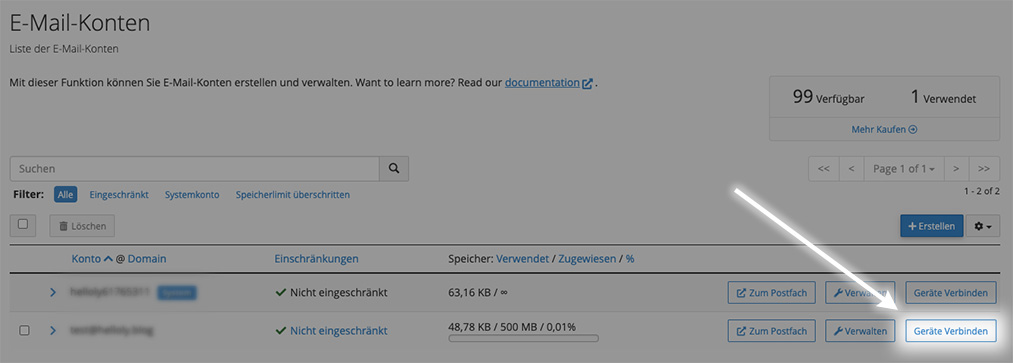
Neben der gewünschten E-Mail-Adresse klicken Sie auf Geräte verbinden
-
Ganz unten finden Sie die Funktion Anleitung per E-Mail senden
-
Geben Sie die E-Mail-Adresse ein, an welche die Anleitung gesendet werden soll, und klicken Sie auf Senden
Gmail einrichten
- Um ein E-Mail Konto einzurichten starten Sie zuerst die App Gmail
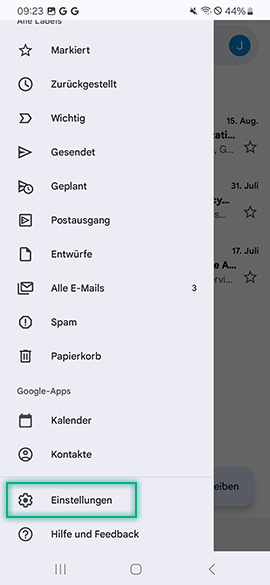
- Öffnen Sie nun das Menü links oben
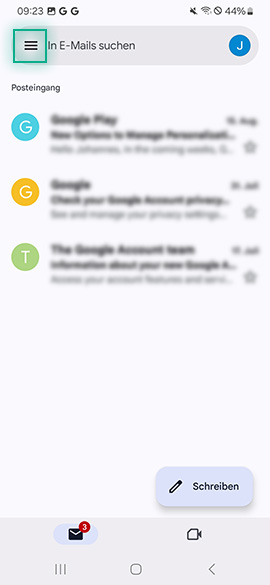
- Wählen Sie nun Einstellungen
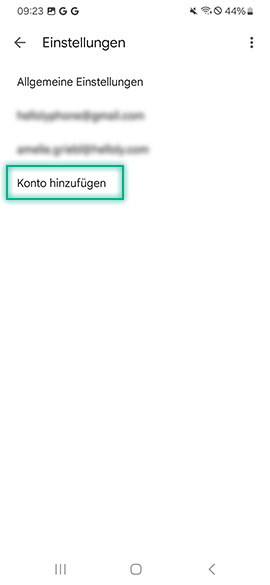
- Wählen Sie nun Konto hinzufügen
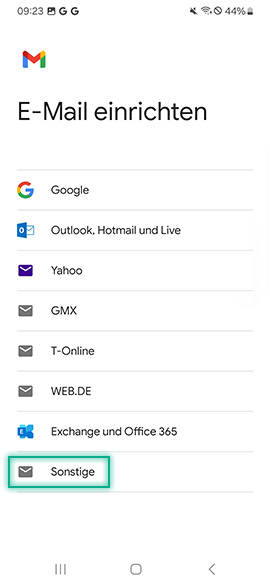
- Wählen Sie nun Sonstige
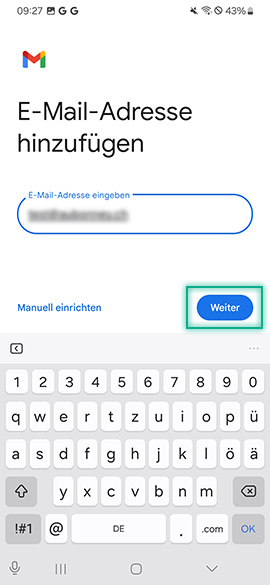
- Geben Sie nun Ihre E-Mail-Adresse ein und tippen Sie Weiter
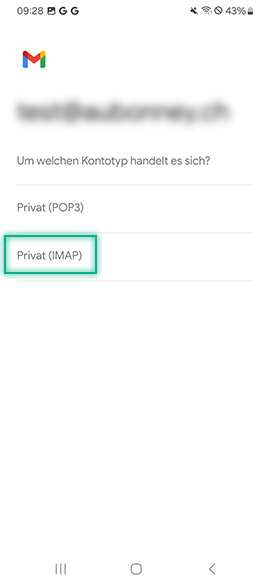
- Wählen Sie nun den Kontotyp Privat (IMAP)
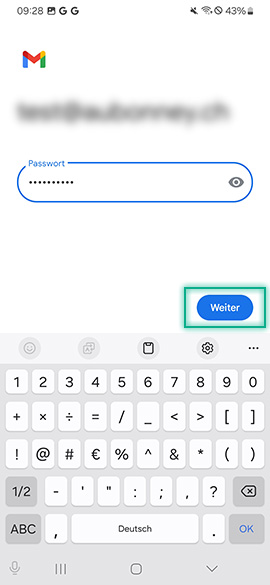
- Geben Sie nun das Passwort Ihrer E-Mail-Adresse ein und tippen Sie auf Weiter
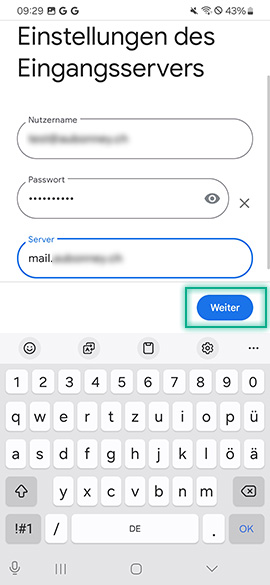
- Geben Sie nun den Eingangsserver ein. Dieser setzt sich zusammen aus mail. und Ihrer Domain ohne www, also mail.ihredomain.tld
- Tippen Sie auf Weiter
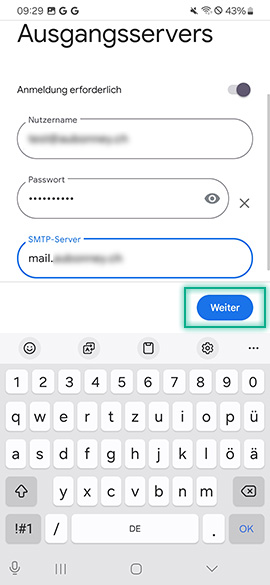
- Geben Sie nun Ihren Nutzernamen (entspricht Ihrer E-Mail-Adresse), Ihr Passwort und den SMTP Server ein. Dieser entspricht Ihrem Eingangsserver (mail.ihredomain.tld)
- Treffen Sie noch die Einstellungen für Ihr Konto und legen Sie dieses mit einem Tip auf Weiter an
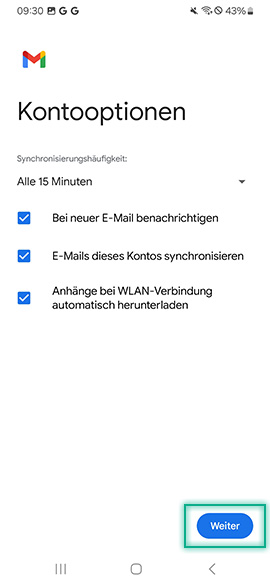
- Sie haben Ihr E-Mail Konto nun erfolgreich in Gmail (Android) eingerichtet
