Knowledgebase

How do I create an SSH key?

FAQ Bild

Secure Shell Protocol or SSH for short is included from the Webhosting PRO package onwards.

How to create an SSH key

  • Within the cPanel, go for Security and select SSH access
  • Click Manage SSH keys and then + Generate A New Key
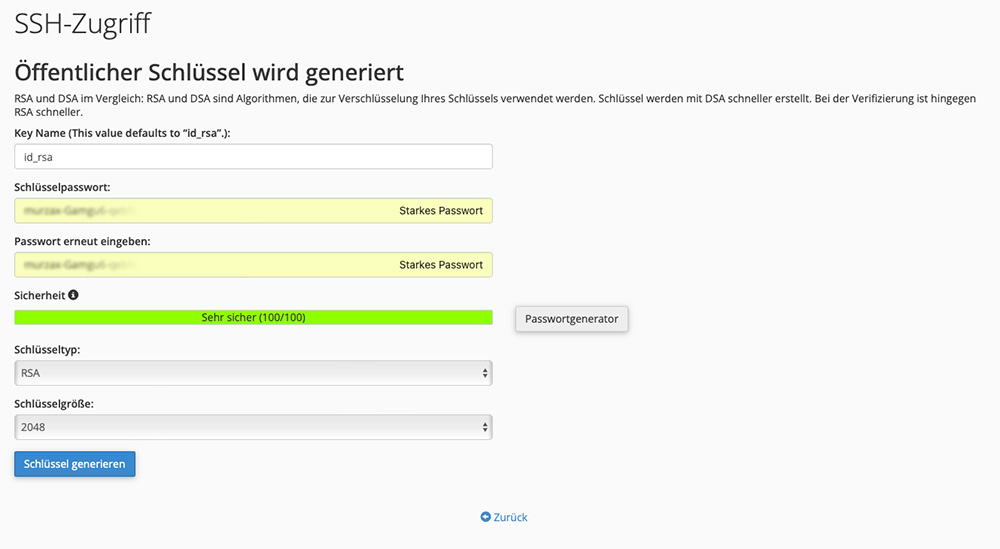

    • Key Name (This value defaults to “id_rsa”.): Give the SSH key a name

    • Key Password: Assign a secure password

    • Key Type: We recommend RSA

    • Key Size: We recommend 2048

  • Confirm with Generate Key

  • Key generation completed - click on Go Back

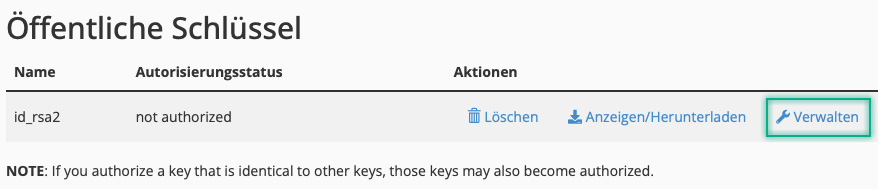
  • Under Public keys, click on Manage


  • Click on Authorize to authorize the SSH key.

  • You have now successfully created an SSH key.

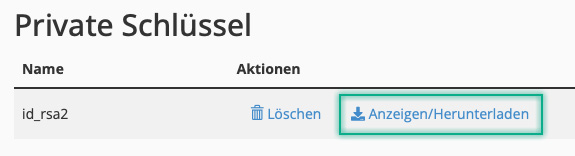
  • You can load the private key at any time and convert it to PPK format if you wish.
Was this answer helpful?

Related Articles

Is Anonymous FTP allowed?

Anonymous FTP is an FTP service that does not require a password to access the data and therefore represents a security risk for your data. For...

Does helloly offer http/2 in web hosting?

Yes, all web hosting packages have http/2 activated for optimum performance and security.

How can I cancel my web hosting package?

Log in to the customer center at my.helloly.com. Click in the dashboard under Your active products click on the desired package Show details....

Is an additional memory cache / opcache necessary with NextCloud?

No, even if NextCloud reports a missing memory cache / opcache after installation. We use PHP-FPM as a caching solution on our servers, but this is...

Do I need a web hosting package?

After the first step - finding a good domain name - you need a web hosting package if you want to publish your own website. Helloly provides the...