
 Select language

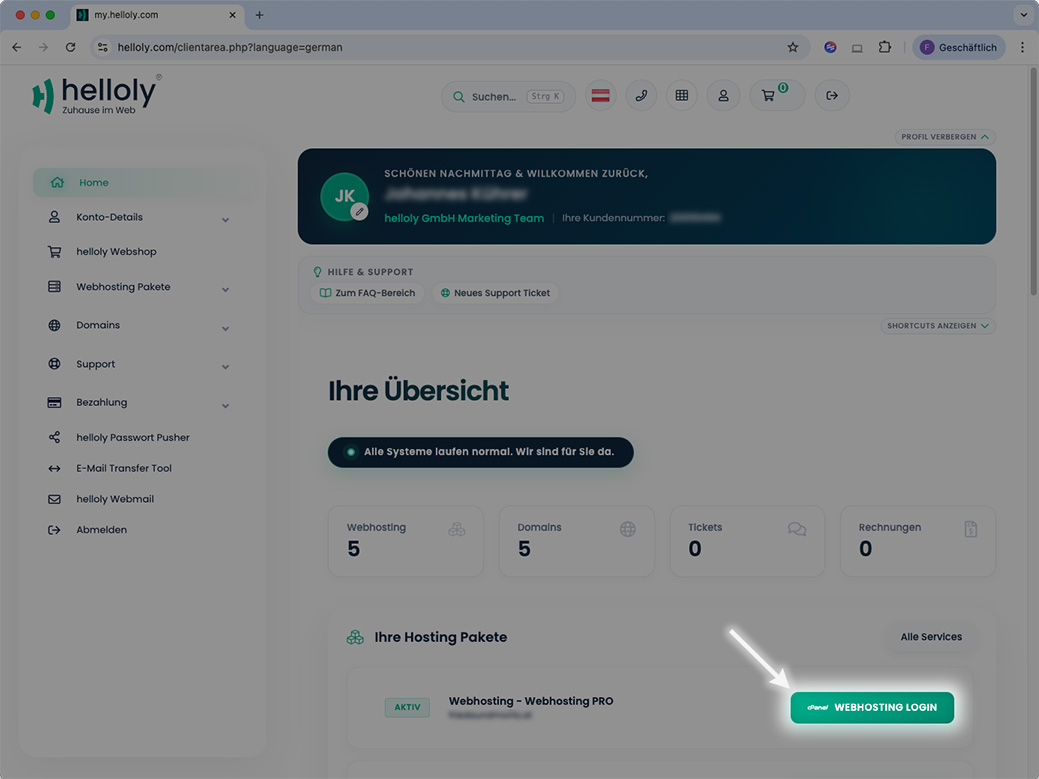
- First access the customer center via https://my.helloly.com
- Within the Dashboard, under Your Active Products/Services, click Webhosting Login next to the desired package
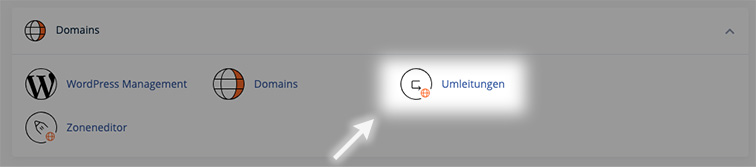
- Within the cPanel, under Domains click on Redirects
- To add a new redirect, first select a Type:
- Permanent (301) - with this type, the visitor's browser is informed that the website can now be reached permanently at the new address. Bookmarks will be updated.
- Temporary (302) - with this type, the visitor's browser is notified of a temporary redirect. Bookmarks are not updated.
- In the https?://(www.)? field, select the domain for which you want to set up the redirect. You can also redirect all domains by selecting ** All public domains **.
-
In the next field / you can define a specific subpage for the redirection. For example, to redirect the page www.example.com/directory.file.html to another URL, enter directory.file.html in the field.
-
In the field Redirects to, enter the target address for the redirect.
-
Under www. redirection: you can define
-
... only redirect with www.
-
... redirect with or without www.
-
... do not redirect www.
-
-
Check the Wild Card Redirect box if you want to redirect all files within a directory to the same file name in the new directory. For example, if you activate the Wild Card Redirect setting and redirect http://example1.com to http://example.com, a visitor who tries to access the URL http://example1.com/pic.jpg will be redirected to the URL http://example.com/pic.jpg.
-
Click on Add to activate the redirection
