
 Select language

Send configuration details via email
You can have the configuration details for an email account sent to you via email.
-
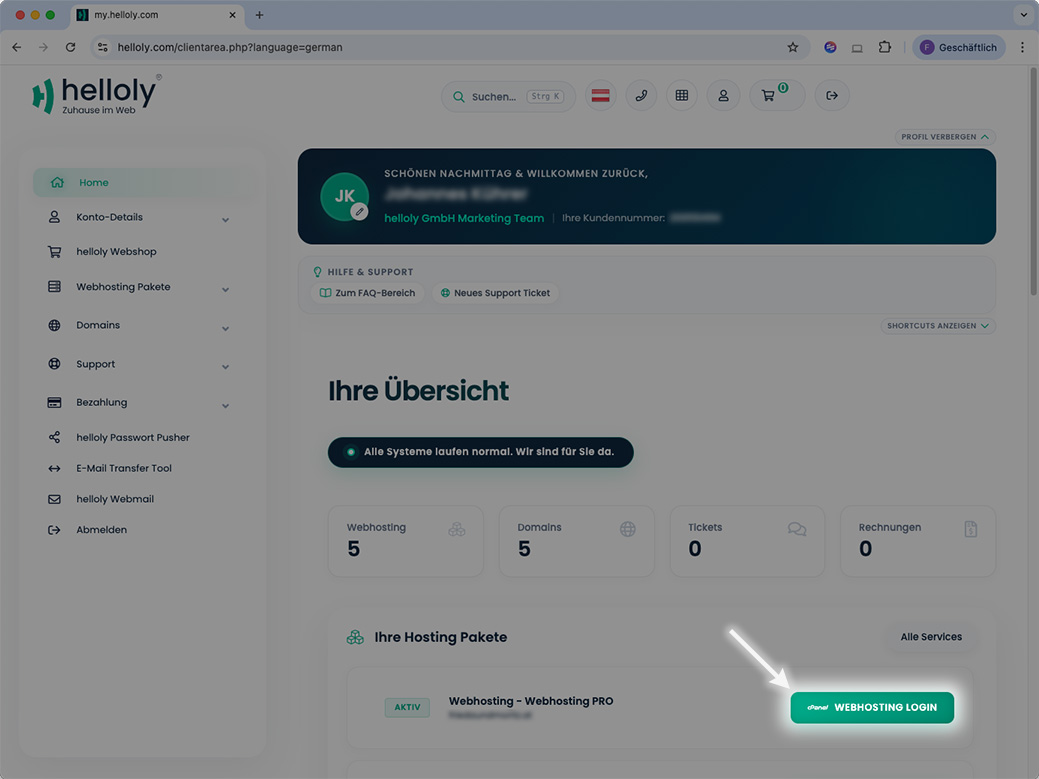
Log in to the client area via my.helloly.com.
-
Click on Webhosting Login next to the desired hosting package.
-
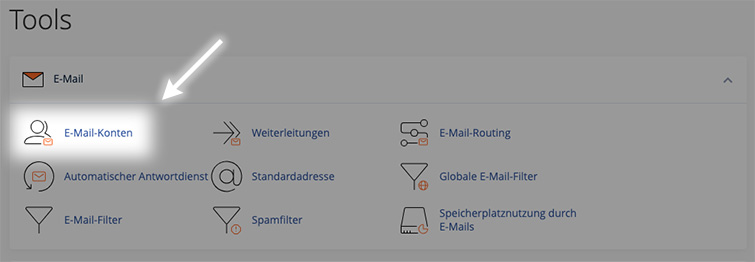
Under Email, click on Email Accounts.
-
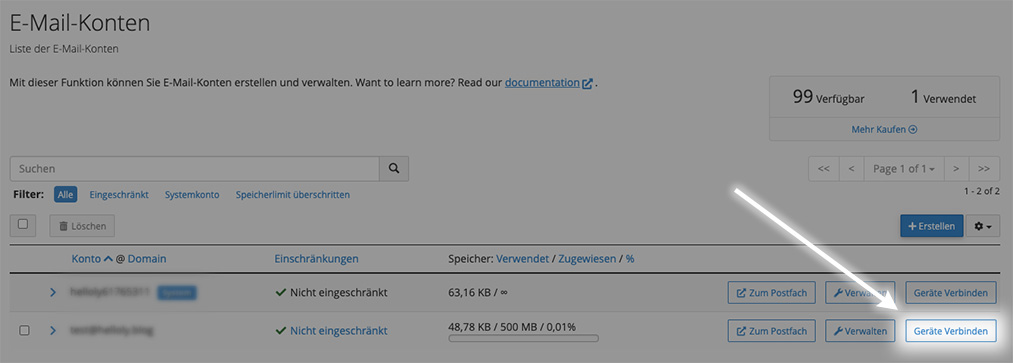
Click on Connect Devices next to the desired email address.
-
At the very bottom, you will find the function Send instructions via email.
-
Enter the email address to which the instructions should be sent, and click on Send.
Set up Thunderbird
When you open Thunderbird for the first time, you will be invited to add your email account. In this case, you can go directly to Set up your email account.
If you are already using Thunderbird, click on Thunderbird in the menu bar and then on Account settings.
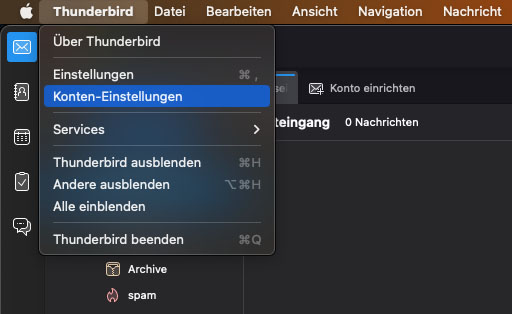
In the next window, open the Account Actions drop-down menu at the bottom left and select Add Mail Account
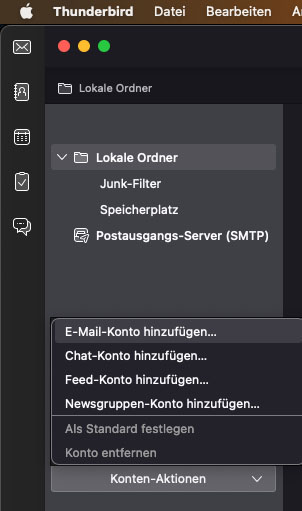
Set up your email account
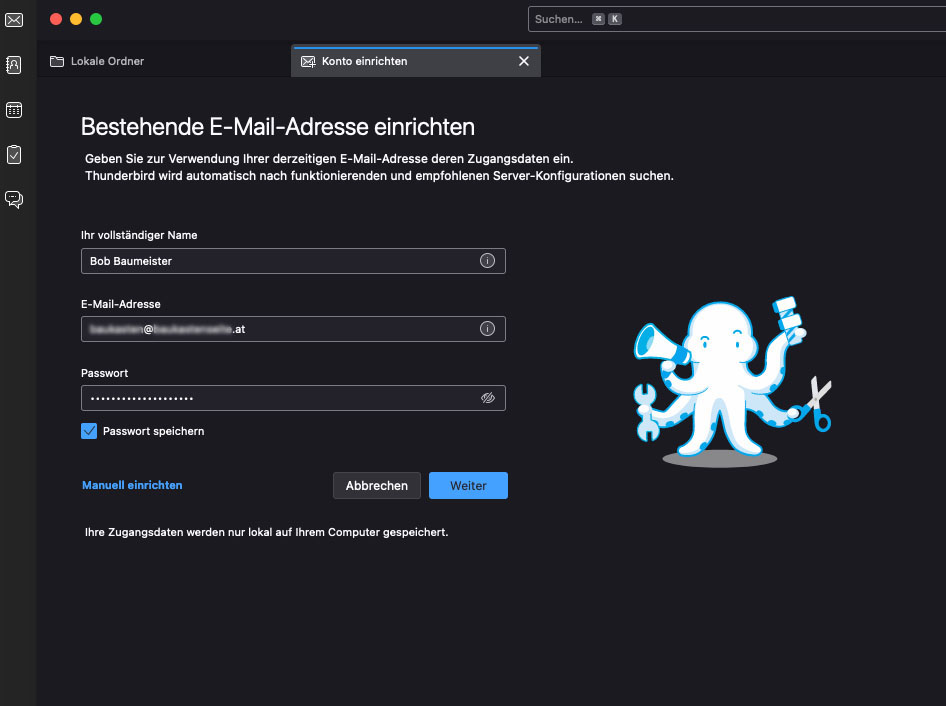
Enter the following data:
-
Your full name (is displayed to the recipients of your emails)
-
Email address
-
Password
Then click on Continue
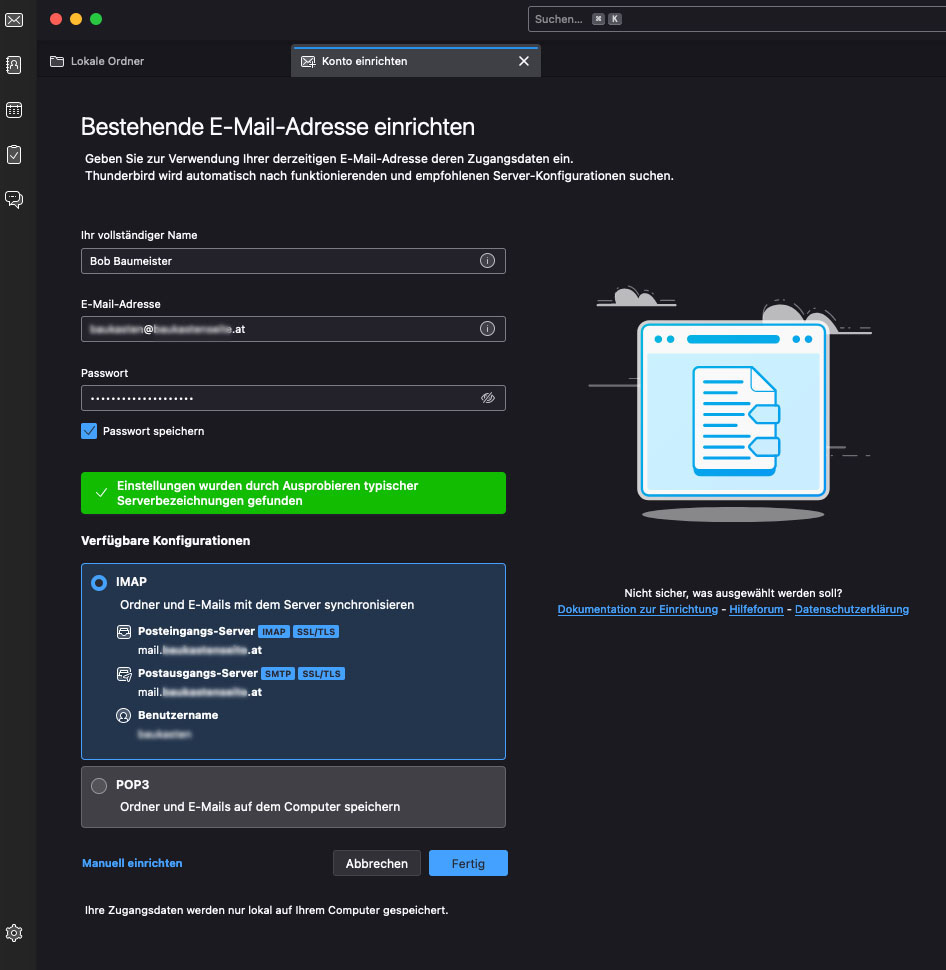
Thunderbird will automatically find the remaining settings. Now click on Done
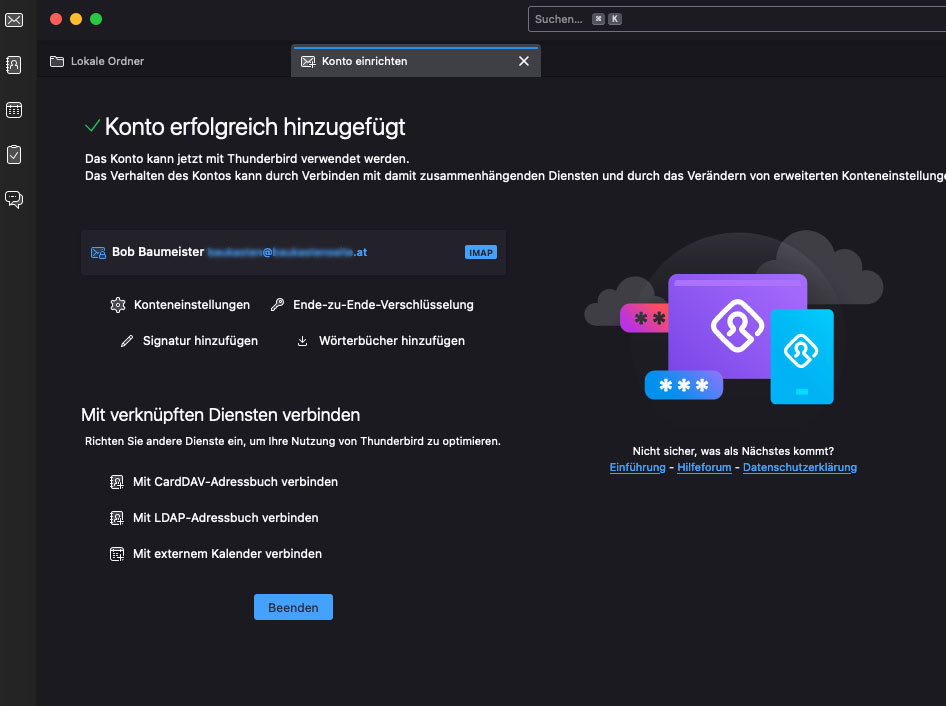
You have successfully set up your e-mail account under Thunderbird.