
 Select language

Send configuration details via email
You can have the configuration details for an email account sent to you via email.
-
Log in to the client area via my.helloly.com.
-
Click on Webhosting Login next to the desired hosting package.
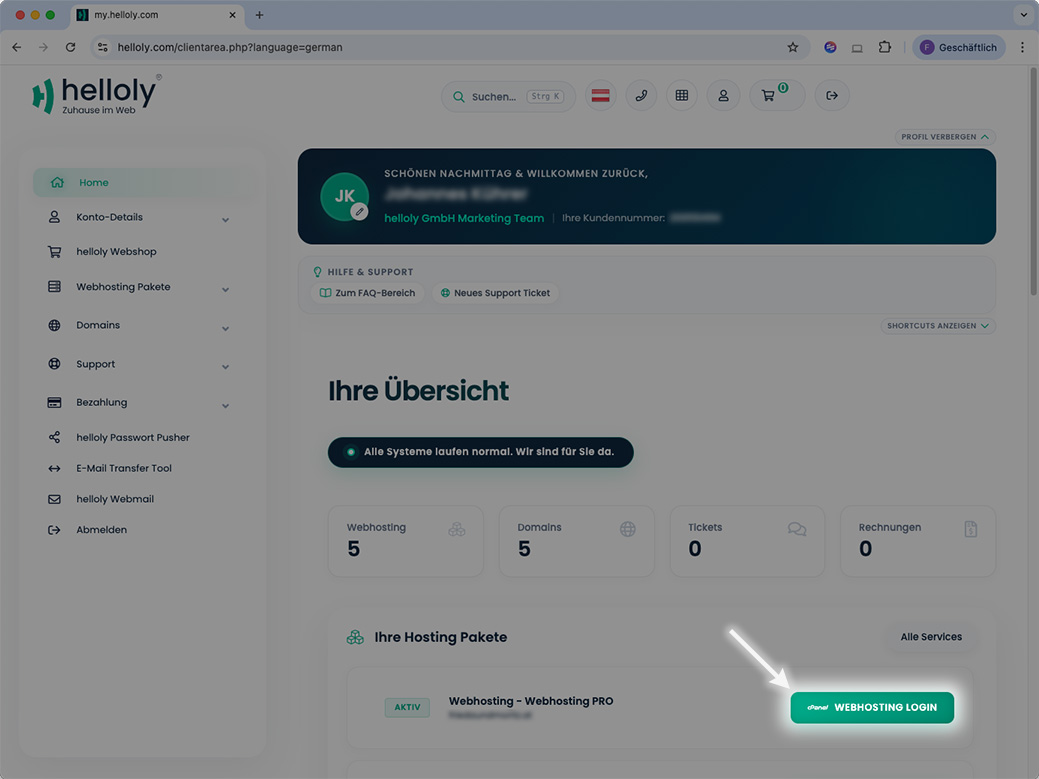
-
Under Email, click on Email Accounts.
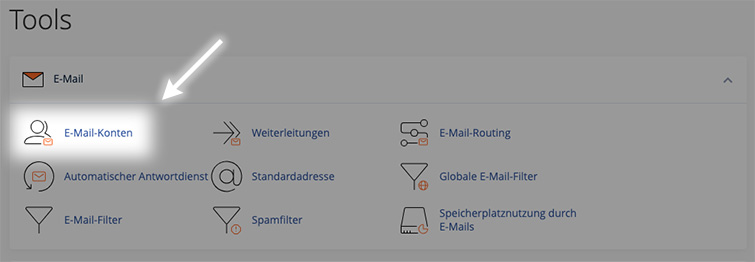
-
Click on Connect Devices next to the desired email address.
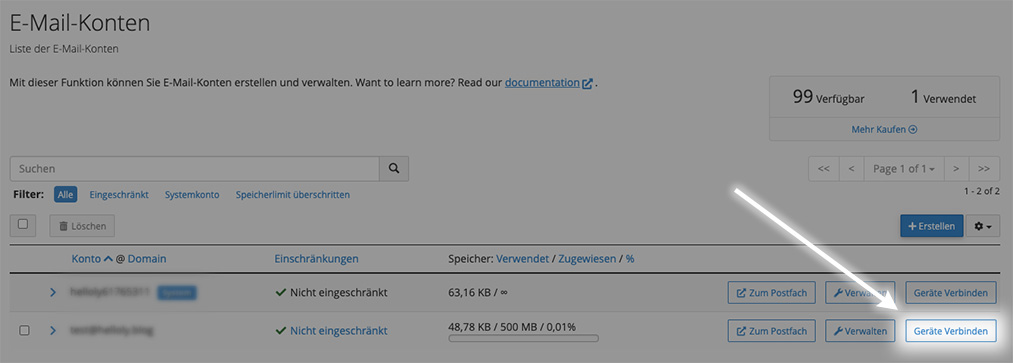
-
At the very bottom, you will find the function Send instructions via email.
-
Enter the email address to which the instructions should be sent, and click on Send.
Set up Mail
When you open Mail for the first time, you will be invited to add your email account. In this case, you can go directly to Set up your email account.
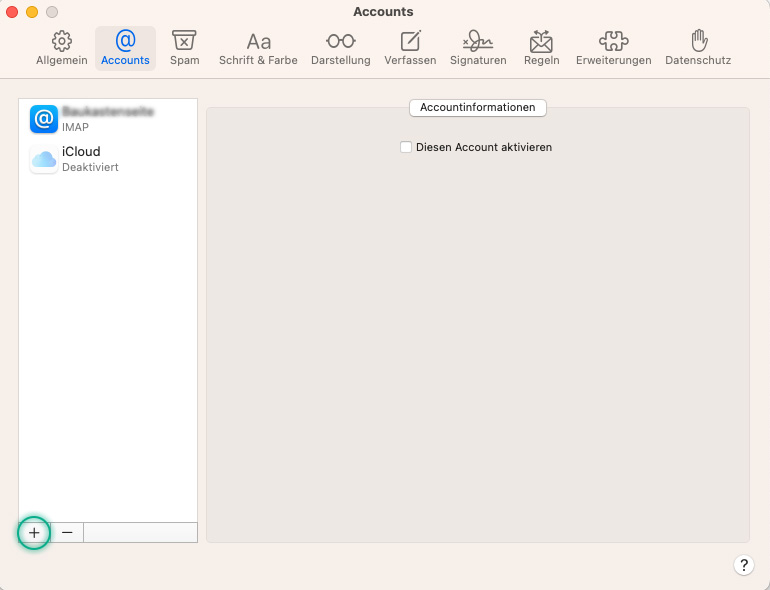
If you are already using Mail, click on Mail in the menu bar and then on Settings.
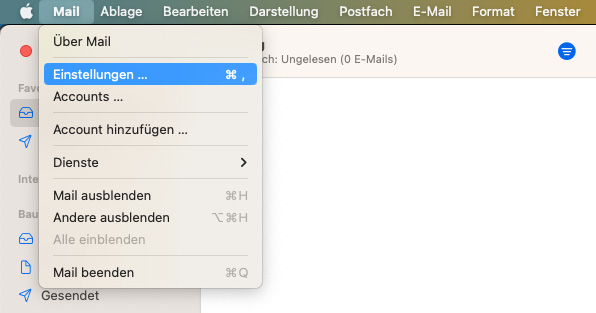
In the next window, select Accounts and click on the '+' symbol at the bottom of the left-hand column.
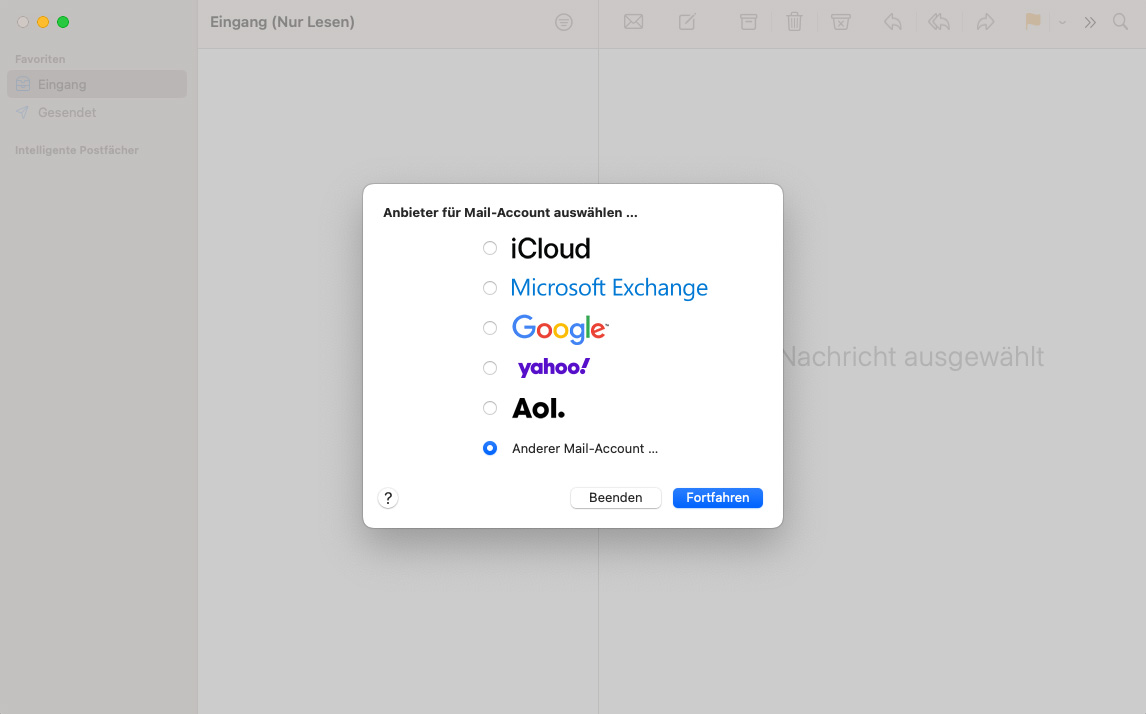
Set up your email account
First select the option Other Mail Account and click Continue
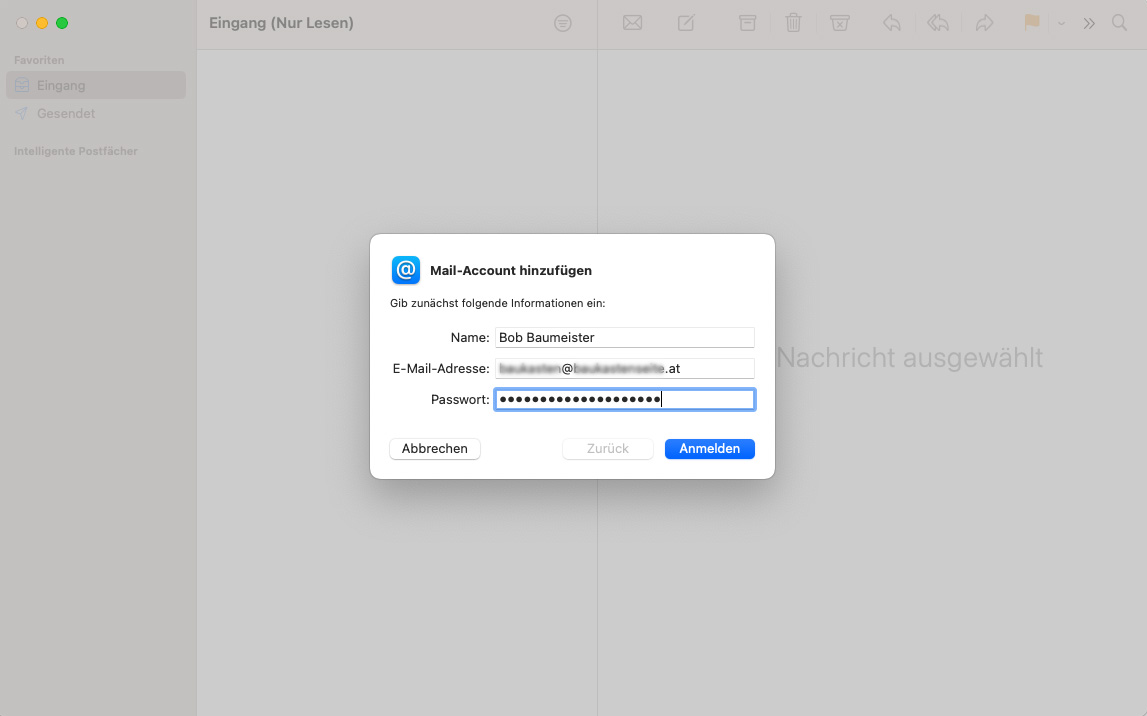
In the next step, enter your access data:
-
Name (is displayed to the recipients of your emails)
-
Email-Address
-
Password
Then click on Sign in
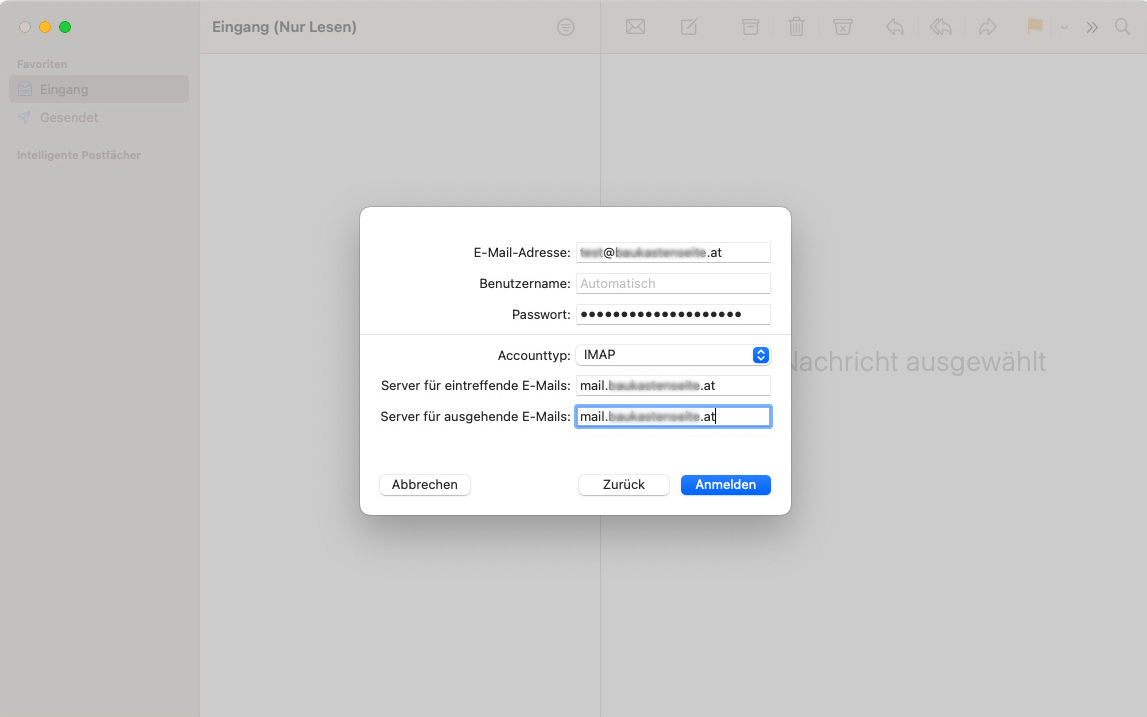
In the next window, enter the server for incoming emails and the server for outgoing emails. This consists of mail. and your domain without www, i.e. mail.yourdomain.tld
Then click on Sign in
In the last window, you can specify which apps you want to use with the account.
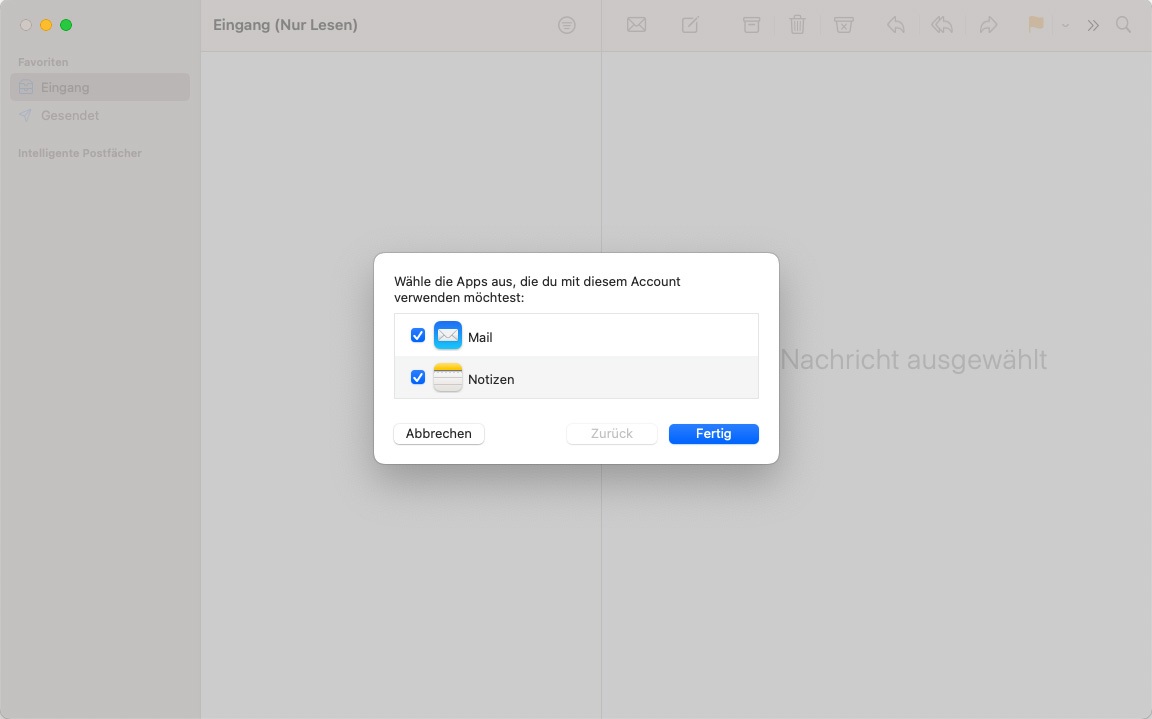
You have successfully set up your e-mail account under Mail.