
 Select language

If you have booked a webhosting or mailonly package for your domain, you can easily create one or more e-mail addresses.
Set up a new e-mail address
-
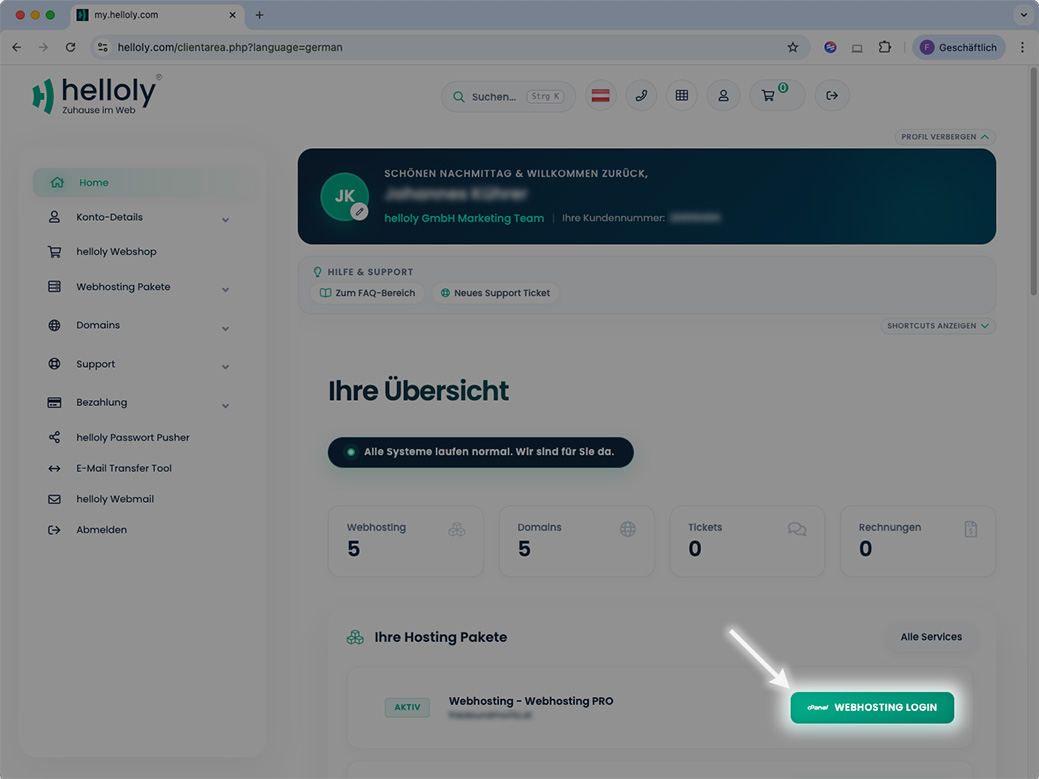
Log in to the customer center via my.helloly.com.
-
Next to the desired hosting package click Webhosting Login.
-
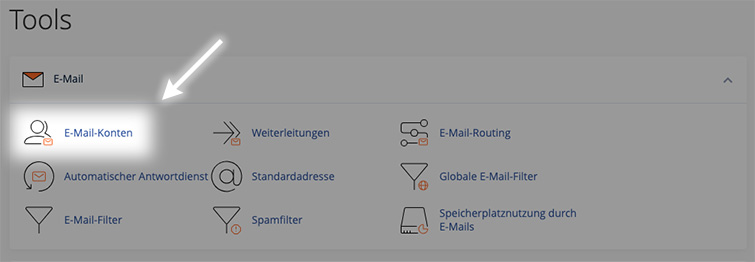
In the Tools section under Email click on Email Accounts.
-
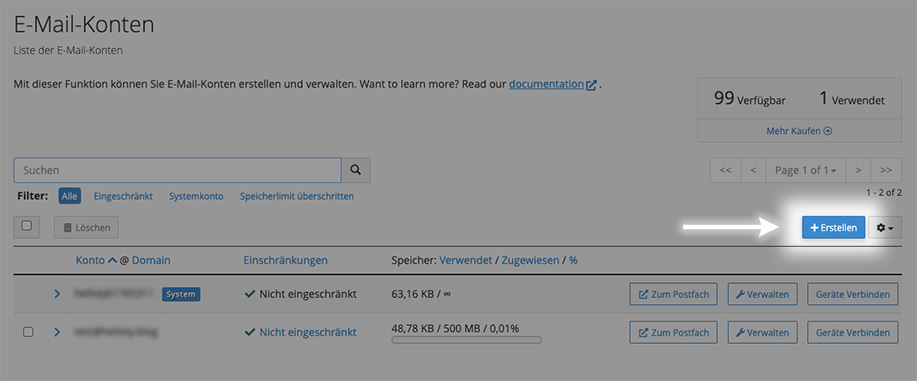
Click on the blue button + Create to create a new email address.
-
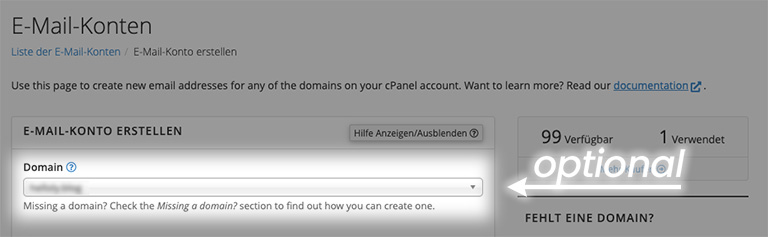
Optional: Under Create An Email Account select the corresponding (sub)domain (if available).
-
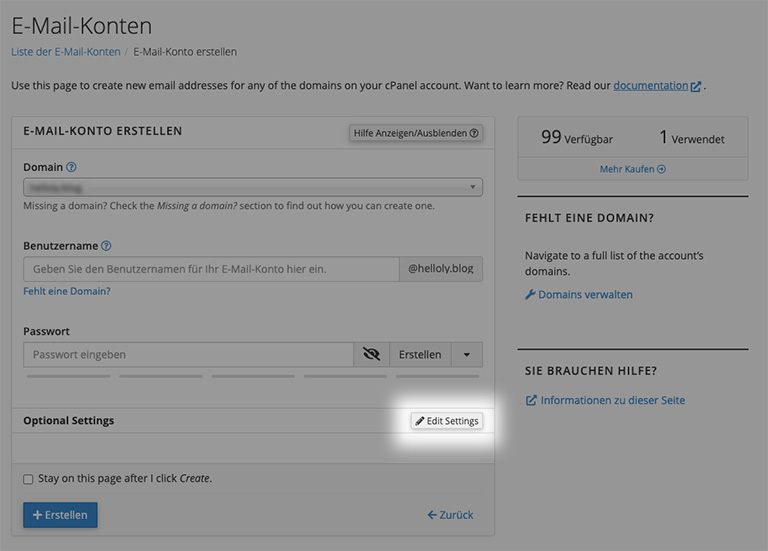
Next, assign a Username and Password. Make sure that your password consists of upper and lower case letters as well as special characters. Our system shows you the security of your chosen password in color.
-
Under Optional settings you can change the Storage Space of the mailbox. You can also use the function Send a welcome email with instructions to set up a mail client to specify whether the user receives instructions on how to set up their email client.
Use new email address
-
Tell the new user his email address and password.
-
The new user can now log in to the helloly Webmail Client at webmail.helloly.com with their e-mail address and password.
-
Under Edit Your Settings the user will find the function Password & Security. Here he can define his own password for his email account.
-
Under Open your inbox (roundcube open source webmail software), the user can open the mailbox by clicking on Open to access their email inbox, receive emails and send emails. Here they will also find their welcome email with instructions for setting up email clients.
