
 Select language

Each of our web hosting packages offers true multi-domain support. This allows you to:
-
set up a separate website and its own mail server for each additional domain.
-
point multiple domains to one and the same website.
Run multiple websites on one web hosting package
With a web hosting package, you can run multiple websites, each under its own domain. This is how you assign an additional domain to your web hosting package:
-
Log in to the helloly client area via my.helloly.com.
-
Click on the menu item Domains and then select My Domains.
-
You will now see your existing domains. For the domain you want to add to your hosting, click the Active button under Status to manage your domain details.
-
Now click on Manage Assignment in the top menu Manage.
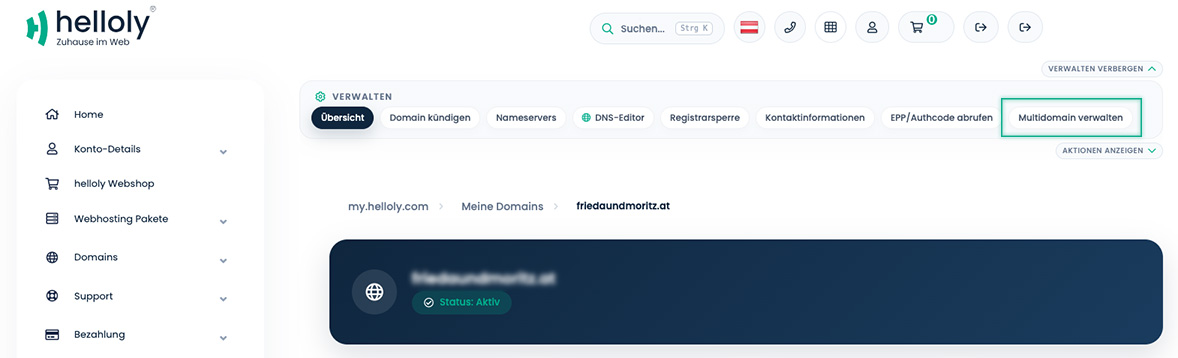
-
If you want to create a new website with your domain, select your hosting package under Web Hosting Account and then select Addon Domain as the Assignment Type. You can now create a new website for this domain in cPanel.
Point multiple domains to one website
You can assign multiple domains to one web hosting package and its website. This is how you assign an additional domain to your web hosting package:
-
Log in to the helloly client area via my.helloly.com.
-
Click on the menu item Domains and then select My Domains.
-
You will now see your existing domains. For the domain you want to add to your hosting, click the Active button under Status to manage your domain details.
-
Now click on Manage Multi-domain in the top menu Manage.
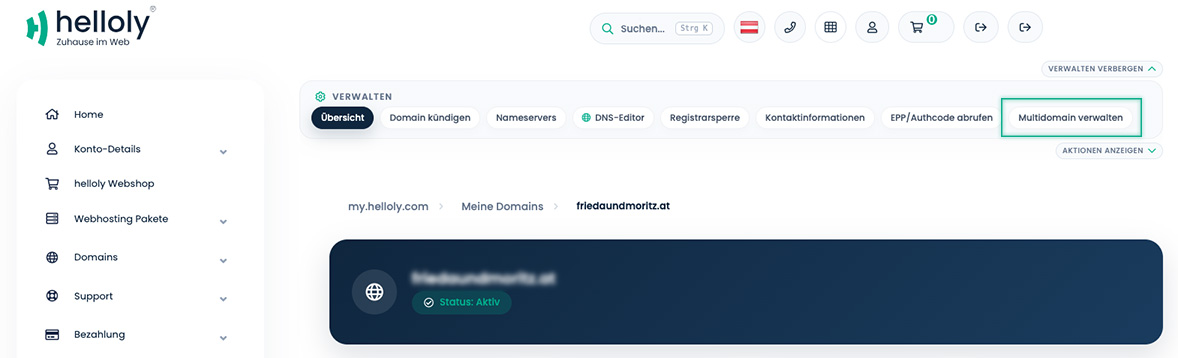
-
If you want to link your new domain to your existing website, select your hosting package under Web Hosting Account and then select Parked Domain as the Assignment Type. Your new domain will now point to your existing website.
