Select language

To ensure that your website is always accessed via HTTPS, you can force this redirection in the cPanel. Proceed as follows:
- Log in to the customer center via my.helloly.com
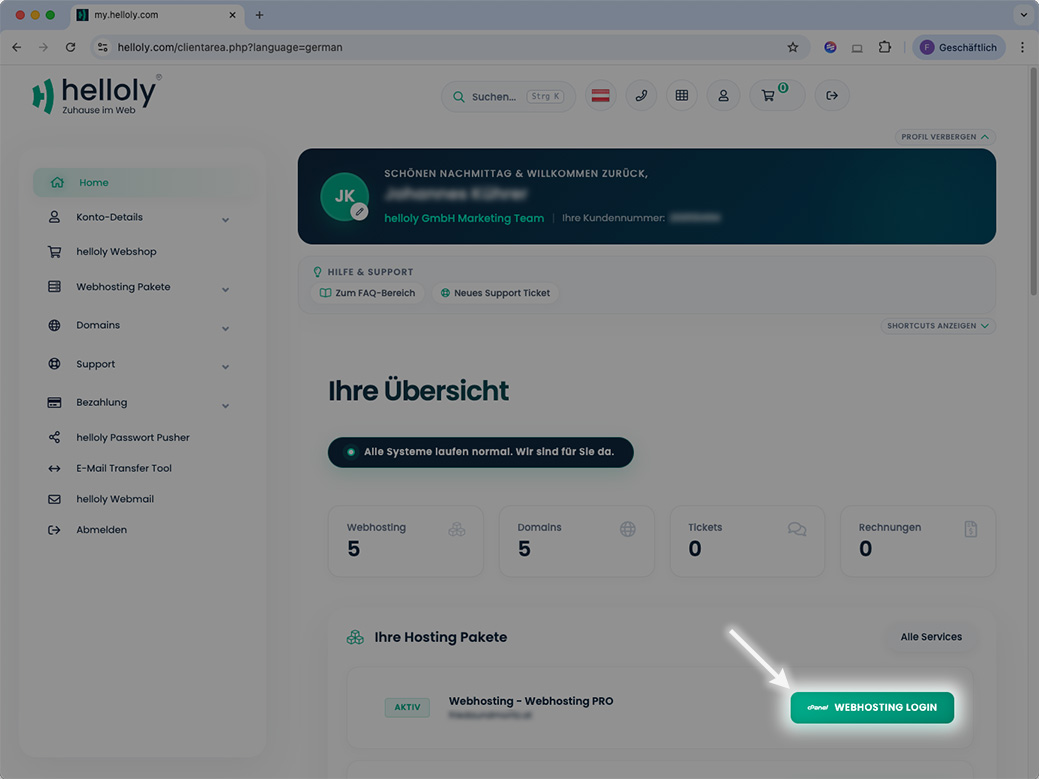
- Within the Dashboard, under Your Active Products/Services, you will find your active products. Select the desired product and click on Webhosting Login
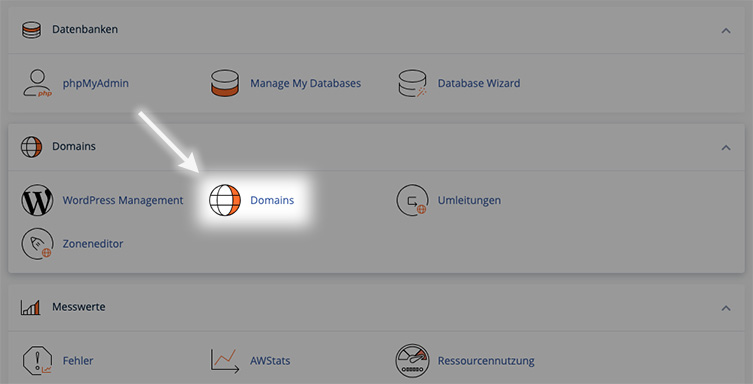
- Scroll to the Domains section and click on the function Domains
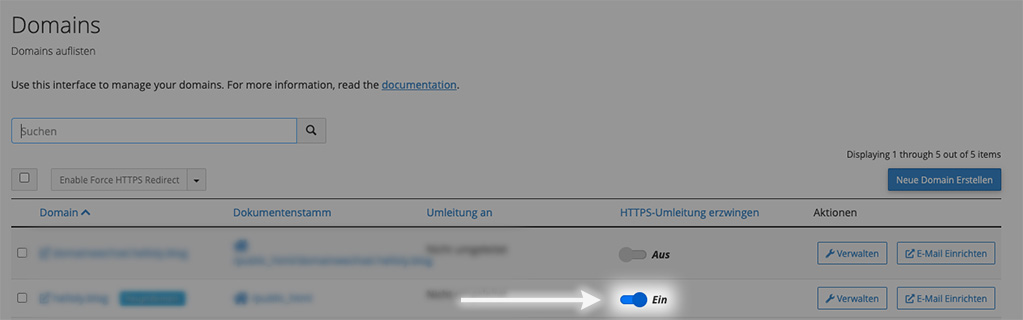
- You will now see all available (sub)domains. For the desired (sub)domain, activate the function Force HTTPS Redirect