
 Select language

Send configuration details via email
You can have the configuration details for an email account sent to you via email.
-
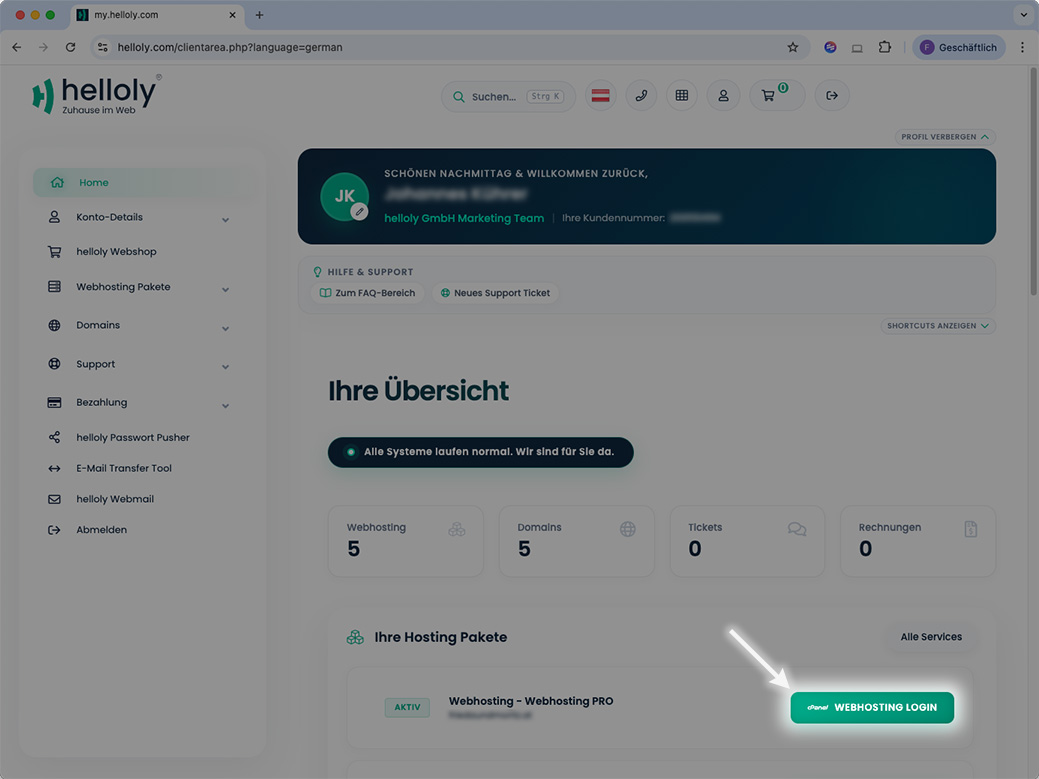
Log in to the client area via my.helloly.com.
-
Click on Webhosting Login next to the desired hosting package.
-
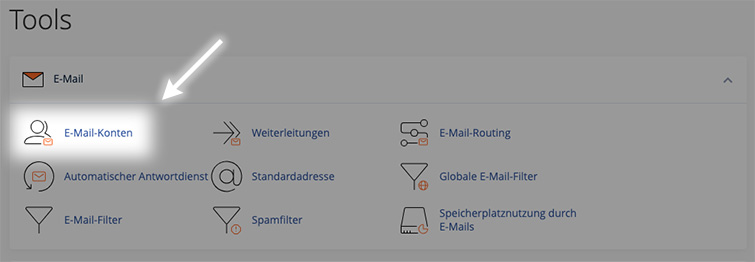
Under Email, click on Email Accounts.
-
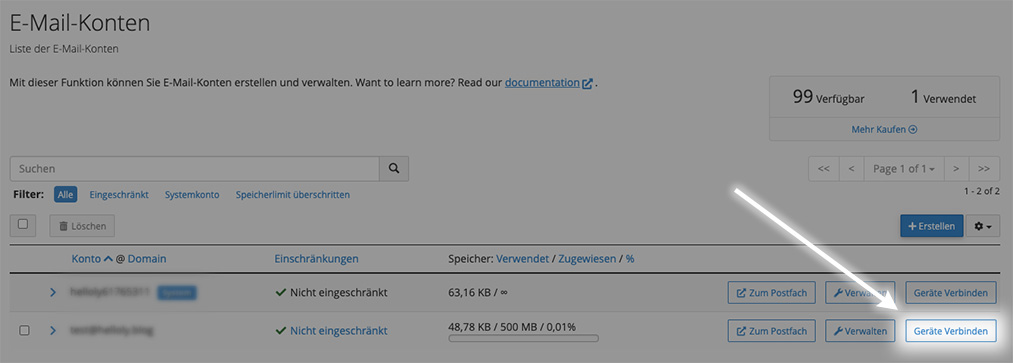
Click on Connect Devices next to the desired email address.
-
At the very bottom, you will find the function Send instructions via email.
-
Enter the email address to which the instructions should be sent, and click on Send.
Set up Gmail
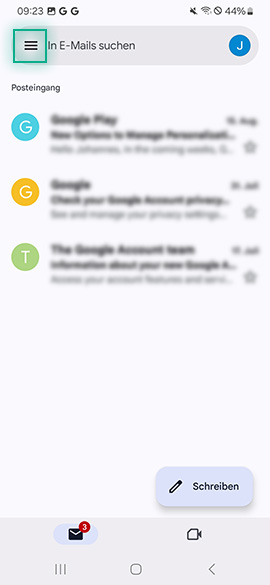
- To set up an email account, first open the Gmail app.
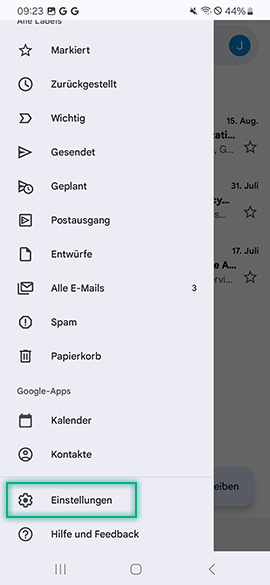
- Now open the menu in the top left corner.
- Now select Settings.
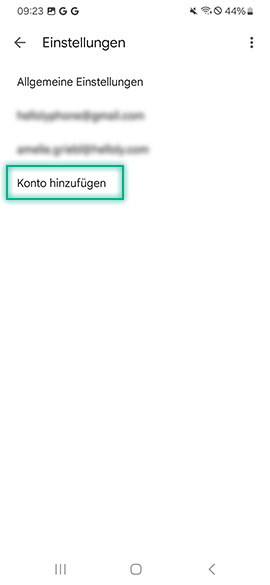
- Now select Add account.
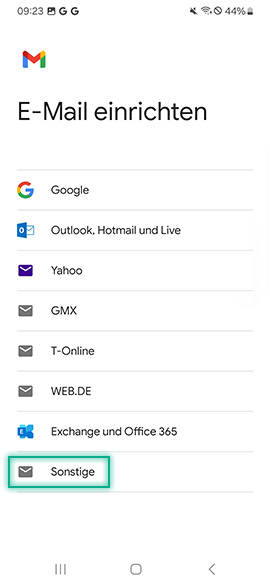
- Now select Other.
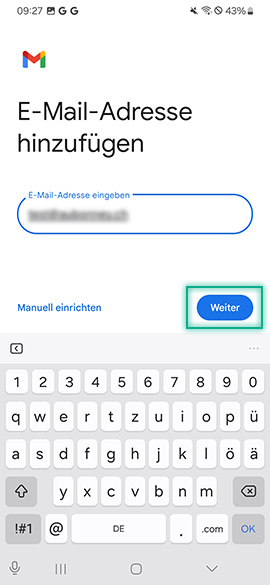
- Now enter your email address and tap Next trimmed.
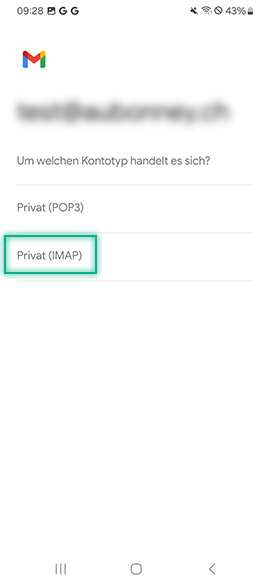
- Now select the account type Personal (IMAP).
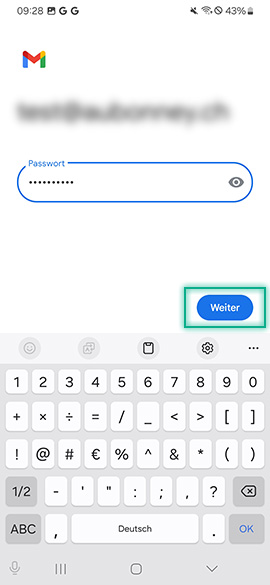
- Now enter the password for your email address and tap Next.
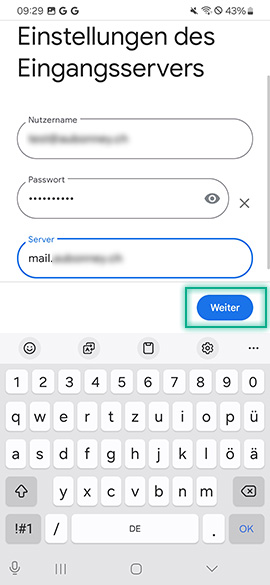
- Now enter the incoming mail server. This consists of mail. and your domain without www, i.e. mail.yourdomain.tld.
- Tap Next.
- Now enter your username (your email address), your password and the SMTP server. This matches your incoming server (mail.yourdomain.tld).
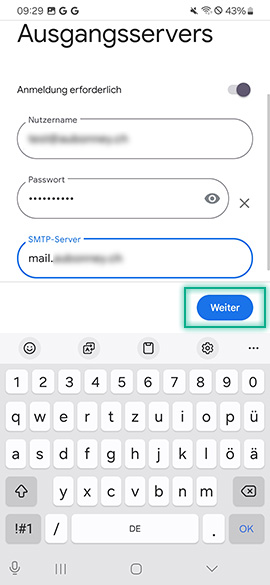
- Adjust the settings for your account and create it by tapping Next.
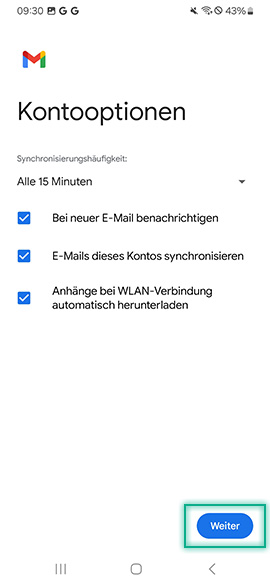
- You have now successfully set up your email account in Gmail (Android).
