
 Select language

SSH access is available from the Webhosting PRO package upwards. Authentication for SSH login is done exclusively via SSH keys.
In this article, you will learn how to use the SSH key you created in the Windows SSH client Putty.
Download and convert the private SSH key into the “.ppk” format
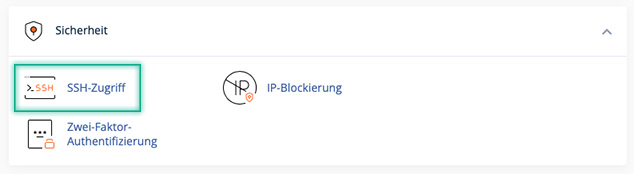
- Go to cPanel, select the SSH Access feature under Security, and click Manage SSH Keys.

- Click on View/Download for the desired private SSH key and then on Download Key
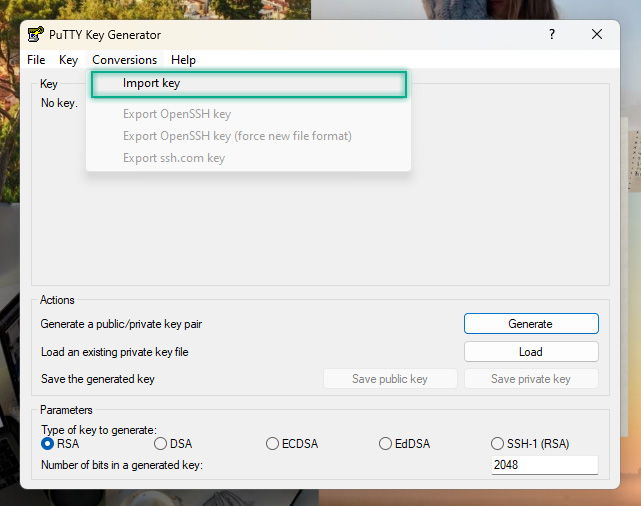
- Now start PuTTYgen, click Conversions and select Import Key
- Browse to your private SSH key and click Open
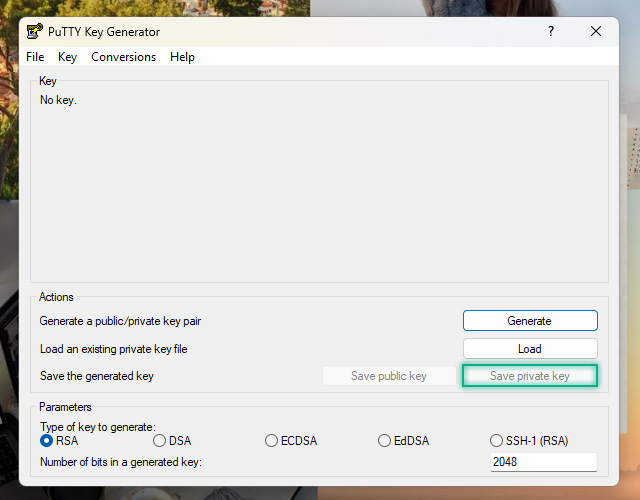
- Under Actions, go for Save the generated key and click Save private key
- [Optional] Choose a passphrase to protect the private key
- Save the private key on your desktop as id_rsa.ppk
Verwenden des privaten SSH-Schlüssels in PuTTY
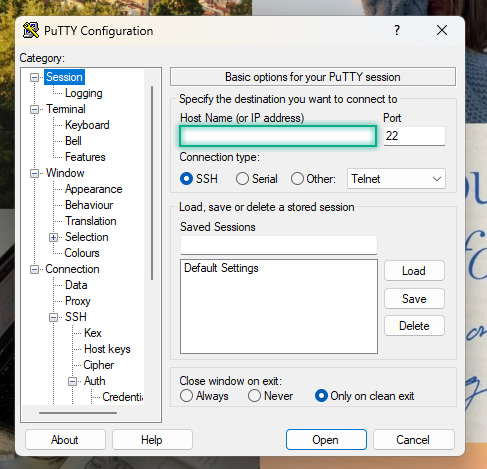
- Under Session, in the Host Name (or IP address) field, enter the IP address or host name of the remote server.
- Under Connection, navigate to SSH, then go for Auth and click on Credentials. Click on Browse for the Private key file for authentication
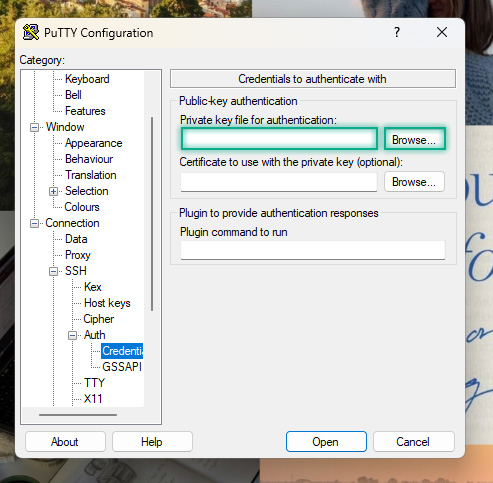
- Select the previously converted key id_rsa.ppk and click Open
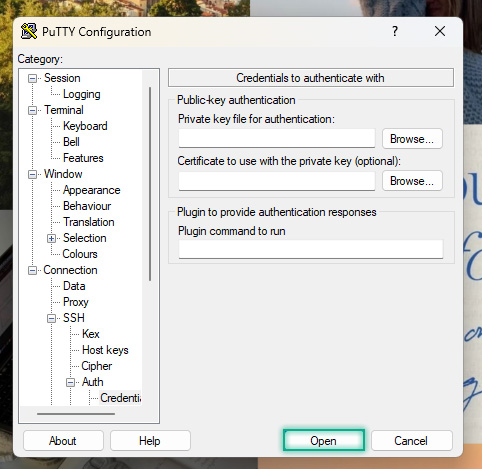
- Finally, click Open in the PuTTY Configuration window to log in to the remote server using key pair authentication
- Congratulations, you have successfully connected to your server via SSH
