Knowledgebase

How does helloly handle PHP updates?

FAQ Bild

helloly keeps all PHP versions on the hosting servers up to date at all times. This means that your website always runs with the latest main version of your PHP variant.

However, we will not update the main PHP version on your website.


Example:

If you run your website on PHP 8.4.32 and we update our hosting servers to PHP 8.4.33, you will of course benefit from the updated PHP version 8.4.33.

If we also install PHP 8.6.14, your website will remain on PHP version 8.4.33.


Defining the main PHP version

To set the main PHP version, proceed as follows:

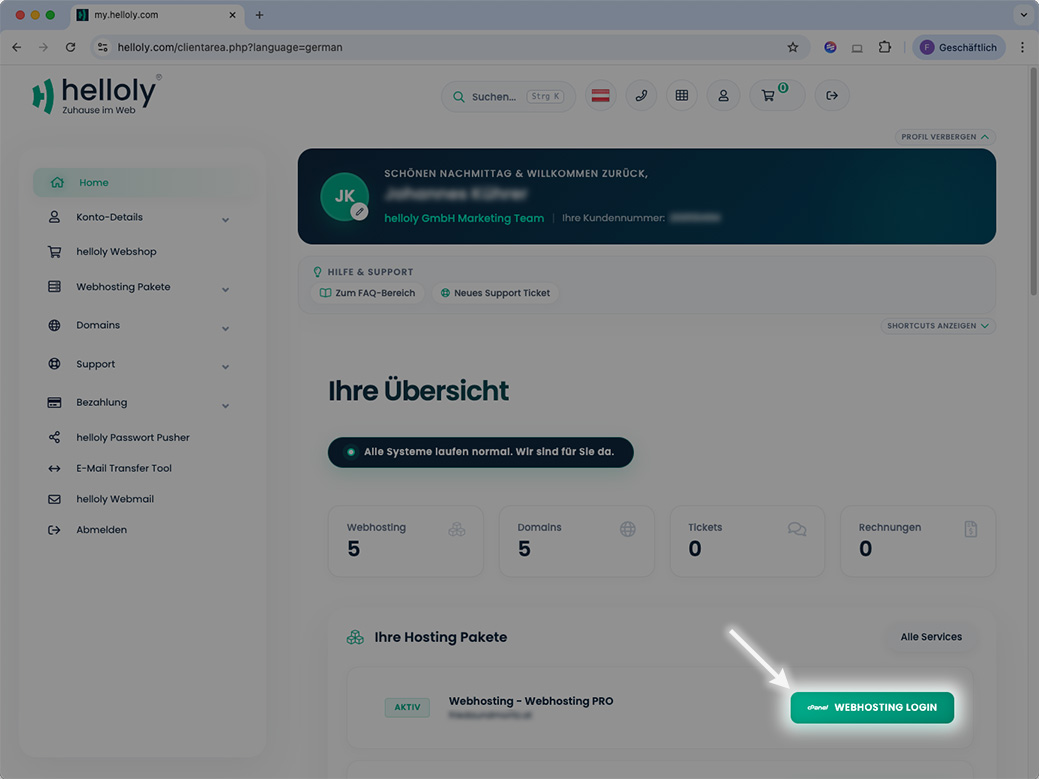
  1. Enter the client area via my.helloly.com
  2. Within the Dashboard, under Your active Products/Services, click Log in to cPanel
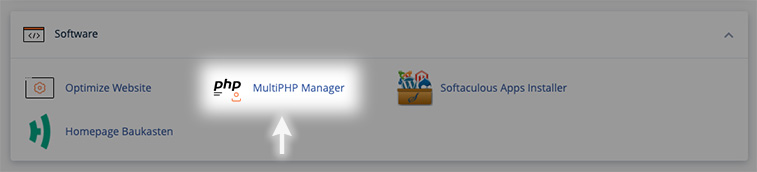
  3. Scroll until Software and click MultiPHP-Manager
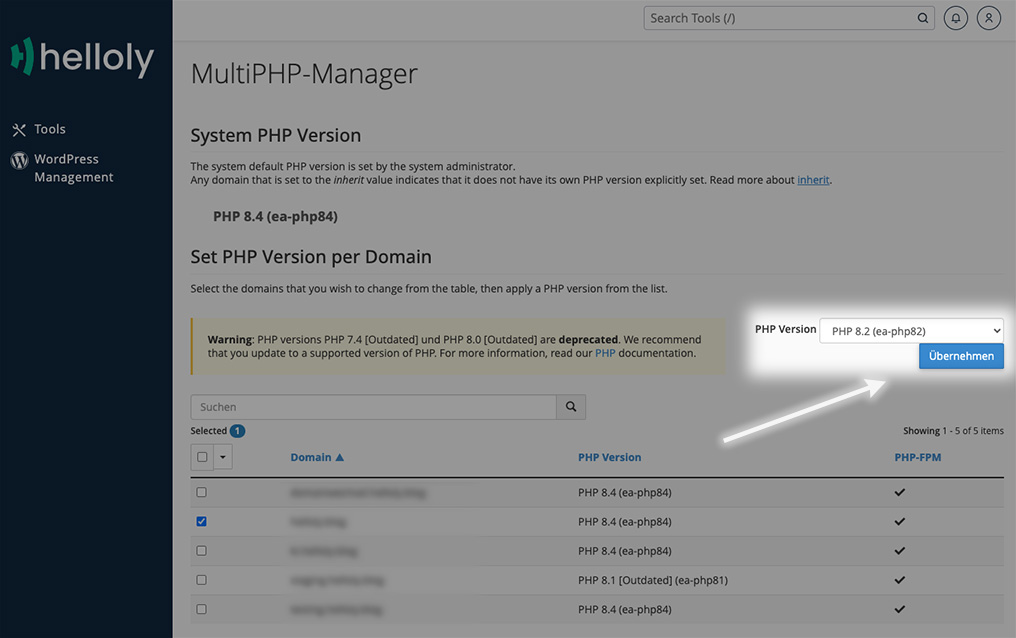
  4. Choose your domain, select the preferred PHP version from the PHP version dropdown menu and confirm by clicking Apply

Was this answer helpful?

Related Articles

Is Anonymous FTP allowed?

Anonymous FTP is an FTP service that does not require a password to access the data and therefore represents a security risk for your data. For...

Does helloly offer http/2 in web hosting?

Yes, all web hosting packages have http/2 activated for optimum performance and security.

How can I cancel my web hosting package?

Log in to the customer center at my.helloly.com. Click in the dashboard under Your active products click on the desired package Show details....

Is an additional memory cache / opcache necessary with NextCloud?

No, even if NextCloud reports a missing memory cache / opcache after installation. We use PHP-FPM as a caching solution on our servers, but this is...

Do I need a web hosting package?

After the first step - finding a good domain name - you need a web hosting package if you want to publish your own website. Helloly provides the...