
 Select language

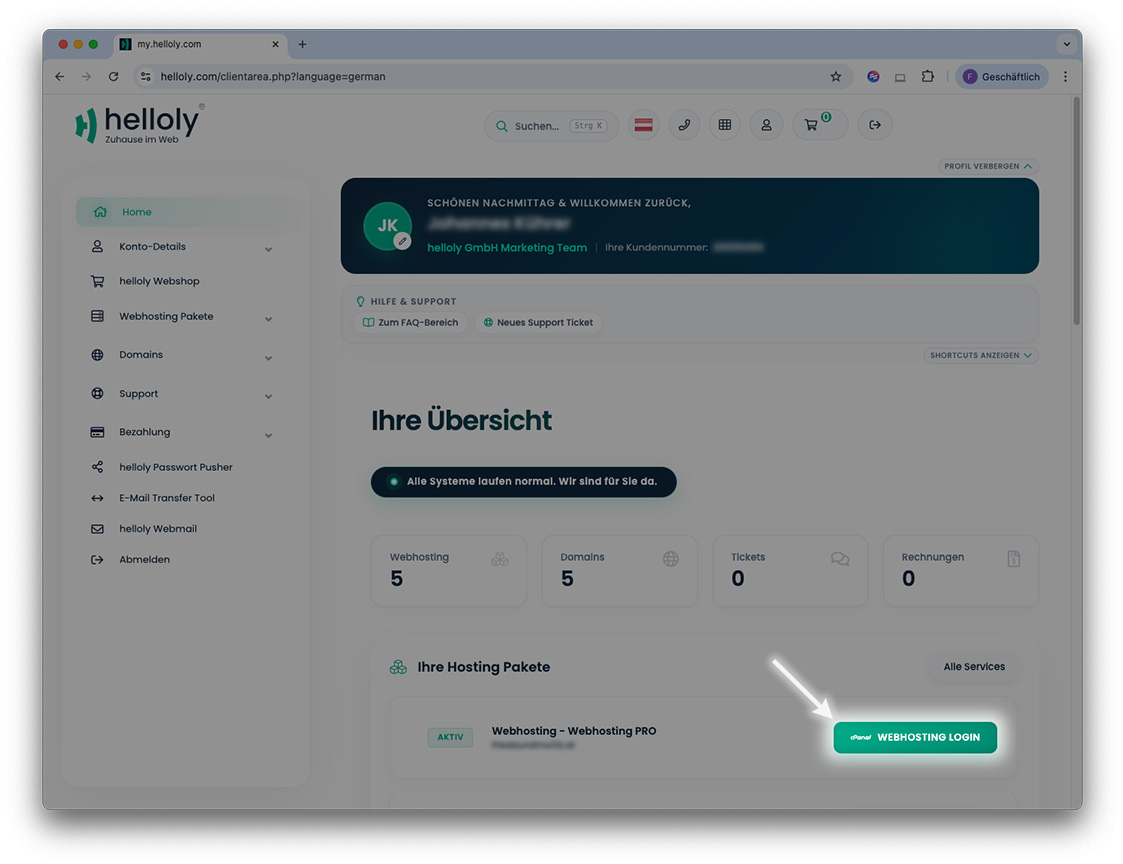
- Log in to the customer center via my.helloly.com.
- Under Dashboard, click on Webhosting Login next to the desired product.
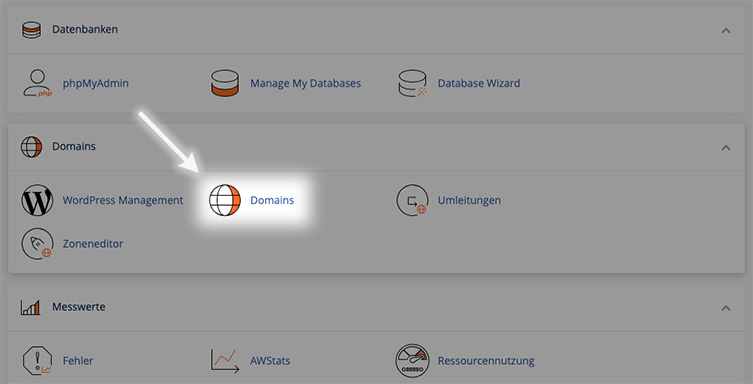
- Scroll down to the Domains section and select the Domains function.
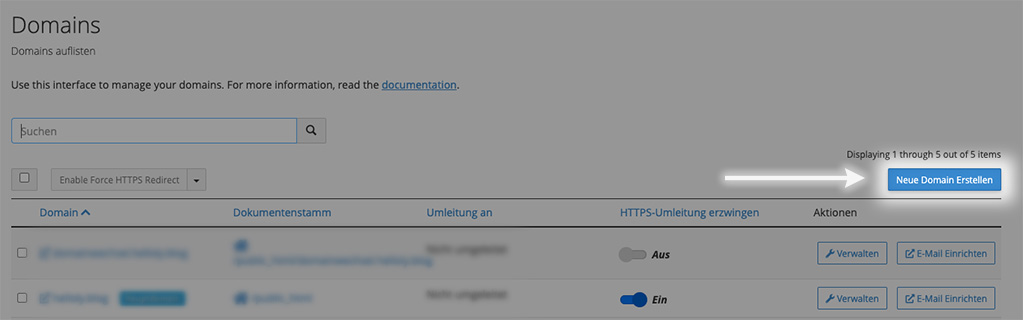
- Click on the blue button Create A New Domain.
- Create the desired subdomain in the format subdomain.maindomain.tld.
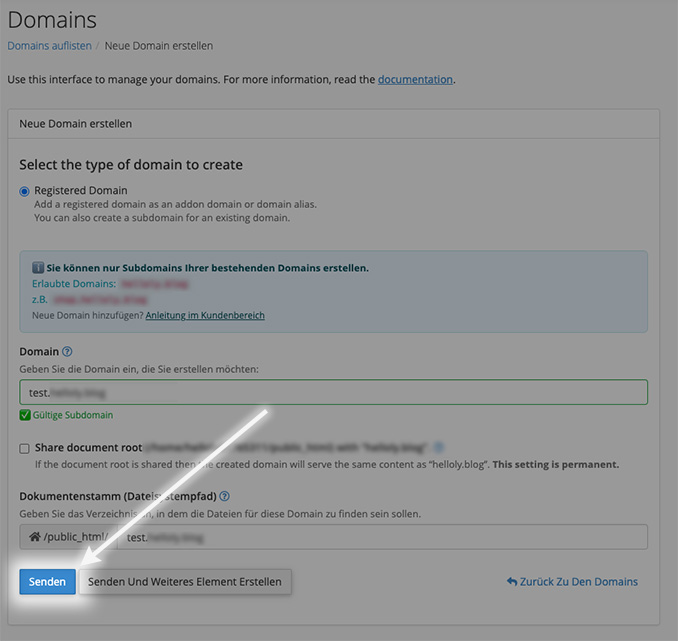
Note: If you check "Share document root", the subdomain will display the same content as the main domain.
Please note: It takes approximately 30 minutes for your subdomain to be accessible on the internet.
