Knowledgebase

How can I automatically move spam to its own folder?

FAQ Bild

To automatically move as spam classified emails to a separate (spam) folder, proceed as follows:


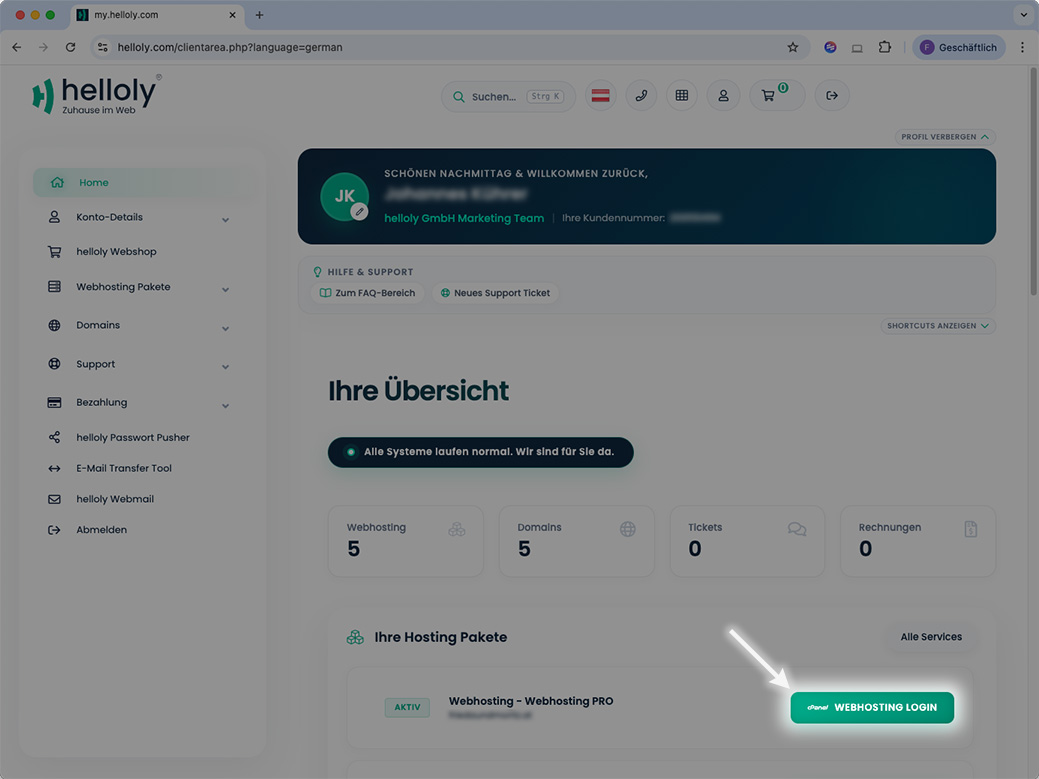
  • Log in to the customer center via my.helloly.com
  • Within the dashboard click Log in to cPanel next to your desired web hosting package
  • Under Email choose the function Email Filters
  • Click on Manage Filters next to the mailbox for which you want to create the filter
  • Now click on Create a New Filter
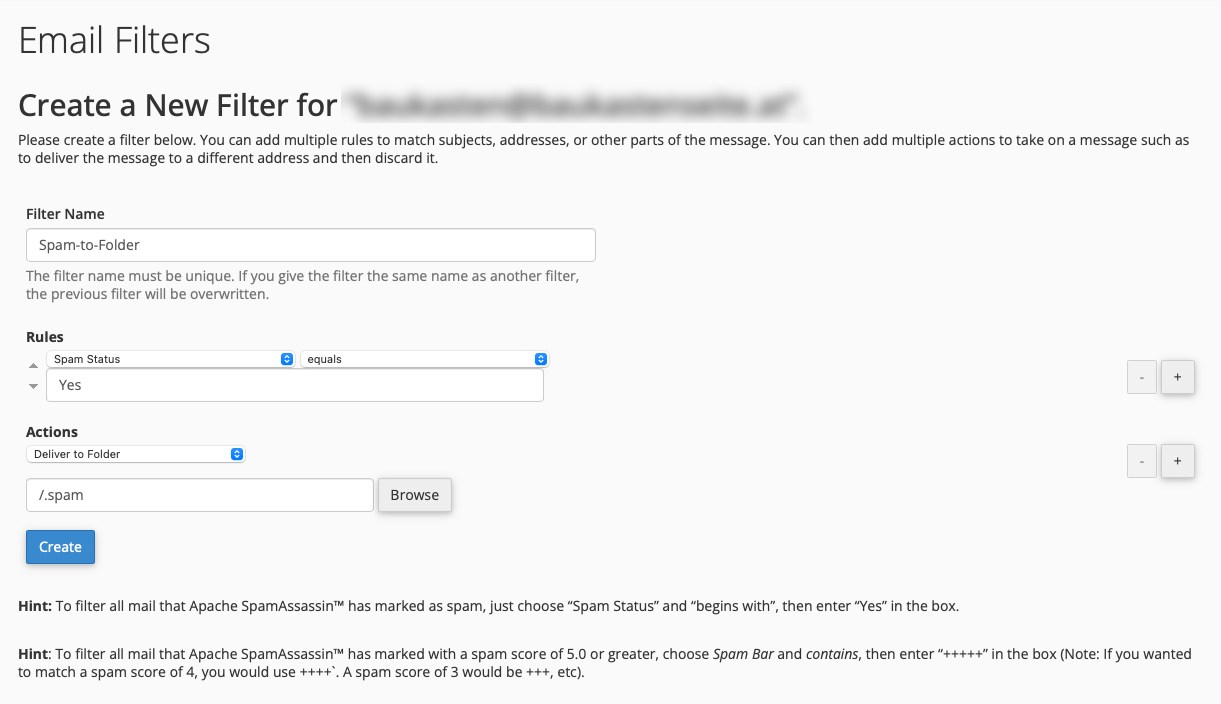
  • Filter Name: Enter a name for your filter. In our case we choose Spam-to-Folder
  • Rules:From the first drop-down menu select Spam Status, from the second equals and in the empty field write Yes
  • Actions: Select Deliver to Folder from the drop-down menu, click on Browse and select the spam folder
  • Finally, click on Create to save the email filter.
Was this answer helpful?

Related Articles

Email clients: What are the special features of Android?

We have tested different email clients on different operating systems to give you the best experience. We noticed the following special features...

Email clients: What are the special features of iOS?

We have tested different email clients on different operating systems to give you the best experience. We noticed the following special features on...

Email clients: What are the special features of Windows 10?

We have tested different email clients on different operating systems to give you the best experience. We noticed the following special features...

Email clients: What are the special features of MacOS?

We have tested different email clients on different operating systems to give you the best experience. We noticed the following special features...

How do I create e-mail filters?

Global / Individual Email Filters: Access the helloly customer center via my.helloly.com. Under your active products, click on Log in to...