
 Select language

If you click on the Webhosting Login direct link in the helloly Client Area and the cPanel does not open, this may have the following reasons:
JavaScript is blocked
Make sure that your browser does not block JavaScript
- Safari (MacOS)
- Within the Safari menu click on Settings and then select the Security tab
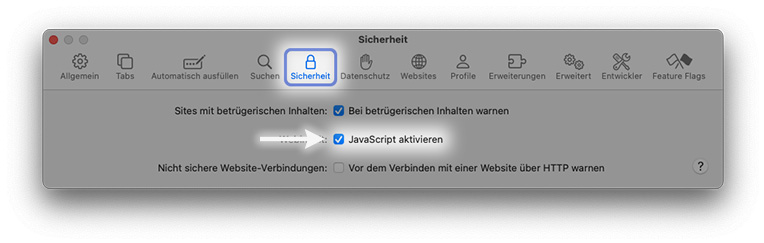
- Make sure that Enable JavaScript is checked
- Within the Safari menu click on Settings and then select the Security tab
- Chrome (MacOS and Windows)
- Click on the Three-Dot-Menu at the top right and select Settings at the bottom
- Now select Privacy and security and click Site settings

- Under Content, click on JavaScript
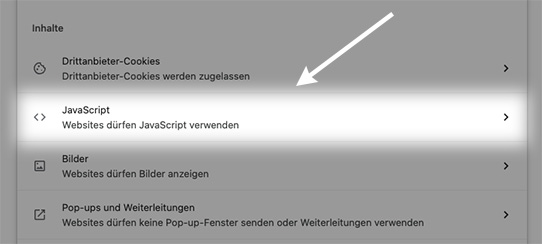
- Make sure that Sites can use JavaScript is active
- Edge (Windows)
- Enter edge://settings/content/javascript in the address bar
- Make sure that JavaScript is allowed
AdBlocker, NoScript and other blockers
- If the cPanel cannot be opened, deactivate all blockers.
- If the cPanel can then be opened, you can reactivate one blocker after the other. This is the quickest way to find out which blocker has prevented the cPanel from opening.
Pop-ups are suppressed.
Make sure that your browser does not suppress pop-ups:
- Safari (MacOS)
- Open the website www.helloly.com
- Within the Safari menu click on Settings and then select the Websites tab
- In the left-hand section under General, scroll down to Pop-up Windows
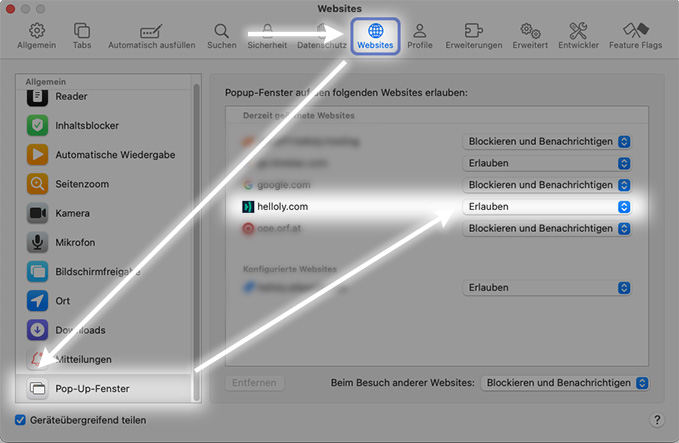
- In the right-hand column, under Currently open Websites you will now see the website helloly.com
- Set the drop-down field next to helloly to Allow
- Chrome (MacOS and Windows)
- Click on the Three-Dot-Menu at the top right and select Settings at the bottom
- Now select Privacy and security and click Site settings
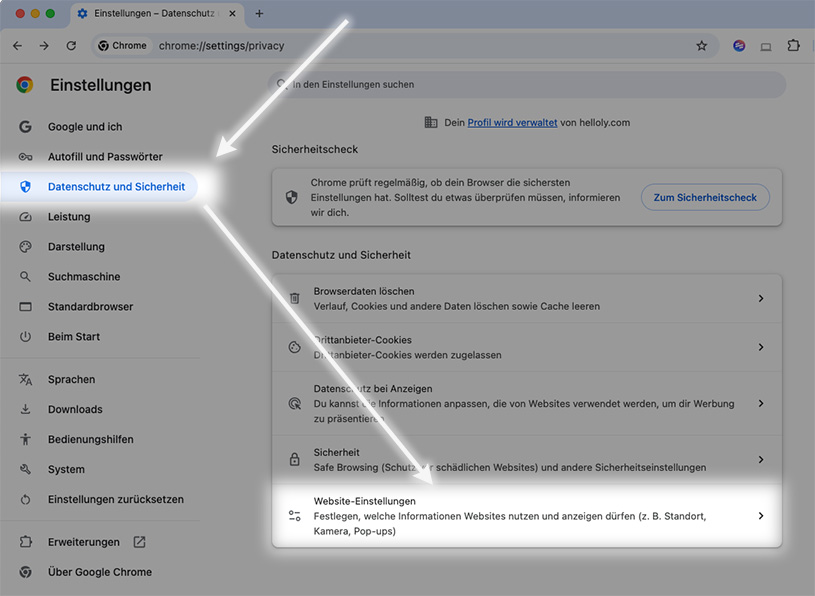
- At the bottom you will find the item Pop-ups and redirects
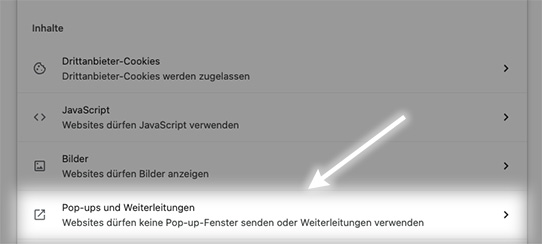
- Under Allowed to send pop-ups and use redirects, click on Add
- Enter the address my.helloly.com
- Edge (Windows)
- Enter edge://settings/content/popups in the address bar
- Go to the Allow section and then select Add
- Enter the URL my.helloly.com
